Yep, we may get a tiny thank-you (read: commission) when you buy through
links on Soundfindr — not enough for a yacht, but enough to keep the lights (and
servers) on.
Learn more
99
Highlights
50
Differences
7
Reactions
0
Likes
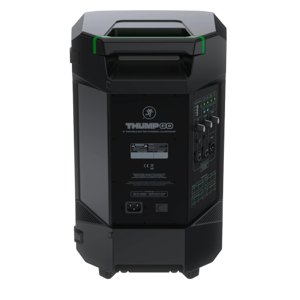
Mackie Thump GO
vs
JBL PartyBox 310:
99 Highlights & 50 Differences —
So, Which Portable Speaker Actually Works Better
Battery life and ease matter when partying. Which speaker stays powered longer?
Which one’s right for your setup — Mackie Thump GO or JBL PartyBox 310? We’ve compared their channel configuration, karaoke mic input mode, bluetooth version & battery type, usability, and sound so you can choose the better portable speaker.
Mackie Thump GO vs JBL PartyBox 310: Portable Party Speaker Showdown
When it comes to portable party speakers designed for outdoor and lively gatherings, both the Mackie Thump GO and JBL PartyBox 310 strike a similar chord. Both models arrive cloaked in sleek black plastic with a rectangular form factor and are crafted in China, emphasizing durability and style fit for outdoor and party use cases. At their core, these speakers provide robust sound output powered by lithium-ion batteries, paired with versatile connectivity options like Bluetooth and multiple audio inputs, all geared towards delivering music on the go. However, as we peel back the layers, differences in power output, audio channel configuration, lighting features, and user controls emerge, shaping distinct experiences catered to separate user priorities.
Why the Mackie Thump GO Might Be Your Go-To Party Companion
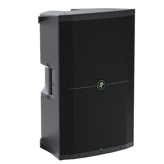
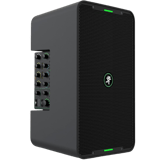
The Mackie Thump GO shines with its lighter 20.9 lbs package weight, making it easier to transport to impromptu gatherings or spacious outdoor venues where mobility is key. Despite its relatively modest 200W RMS audio power and mono channel configuration, it leverages an advanced DSP processor that fine-tunes sound to deliver clear, balanced audio. This makes it an excellent fit for those who want quality without the bulk. Moreover, its inclusion of a dedicated karaoke mic input mode, alongside mic, guitar, and AUX inputs, allows for diverse live performances or party interactions. While it lacks stereo sound and multicolor lighting effects, the Mackie Thump GO offers essential controls like an equalizer and LED indicators for volume and system status, ensuring pragmatic user interaction. Its build, though sturdy, excludes protective bumpers or a scratch-resistant coating, indicating a need for careful handling in harsh environments.
JBL PartyBox 310: Bigger, Bolder, and Packed with Extras
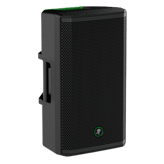
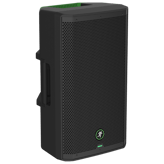
Contrastingly, the JBL PartyBox 310 boasts a heftier package weight of 42.11 lbs, reflecting its amplified capabilities. This power hub pumps out 240W RMS stereo sound, providing a richer and immersive listening experience perfect for larger crowds or settings that demand spatial audio depth. Users can enjoy an upgraded Bluetooth 5.1 connection with a generous 33-meter range, ensuring stable wireless playback even across spacious areas.
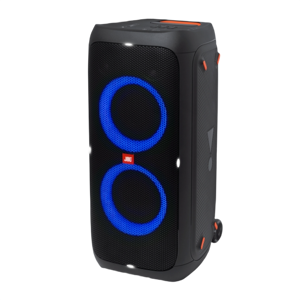
Distinctive to the PartyBox 310 is its dazzling multicolor LED lighting and customizable control buttons that add a visual kick and hands-on flexibility, setting the mood for any event. You also gain the convenience of a USB-A port for playing music from flash drives or charging devices through the power bank functionality; a neat advantage during lengthy outdoor sessions where power outlets are scarce. Supplementing its ruggedness, the PartyBox comes with protective bumpers enhancing durability against accidental knocks and bumps typical in active environments. Additionally, the inclusion of volume level indicators further refines user control over sound output.
Quick Take
The Mackie Thump GO offers a lightweight, DSP-enhanced audio solution tailored for users valuing portability and straightforward live sound setups at a more affordable price. Meanwhile, the JBL PartyBox 310 stands out as a feature-rich, high-powered stereo speaker with flashy lighting and power bank support, ideal for immersive parties willing to trade portability for premium sound and aesthetics.
Bottom Line
Choosing between these two depends largely on your priorities: if easy transport, clear mono sound with advanced DSP, and budget-friendliness are what you seek, the Mackie Thump GO fits the bill. On the other hand, if you want a heavier hitter with stereo output, extended Bluetooth connectivity, glowing LED vibes, and power bank capabilities for extended play, the JBL PartyBox 310 emerges as the front runner, albeit at a higher price.
Both speakers come backed by international warranties and robust repair service options, rounding off their appeal with reliable support.
Verdict
Winner: JBL PartyBox 310 - Delivers superior stereo sound quality, extra features like customizable lighting, and power bank functionality, making it powerful and versatile for immersive parties.
Runner-up: Mackie Thump GO - Lightweight and equipped with advanced DSP, it's a budget-friendly mono speaker suited for portability without compromising essential audio quality.
Side by side. The numbers. The features. No drama.
Is Mackie Thump GO better than JBL PartyBox 310? Depends on your playstyle. This deep portable speakers breakdown includes specs, feel, tone quality, and what musicians think.
Mackie Thump GO is intended for Outdoor and Party use, while JBL PartyBox 310 expands this to Home, Outdoor, and Party. If indoor versatility is important, JBL PartyBox 310 is more suitable.
Specifies the primary usage scenarios the product is designed for.
In the battle of Intended Use Case,
Mackie Thump GO ◉ is
better than
JBL PartyBox 310 ◉
, delivering
higher
9 score
measurement.
Don’t keep it to yourself — be the first to react and review the
Intended Use Case on Mackie Thump GO ◉
vs JBL PartyBox 310 ◉ and help others decide!
Both speakers come only in black color option, so color preference won't be a differentiator when choosing between Mackie Thump GO and JBL PartyBox 310.
Lists available color variants.
In the battle of Color Options,
Mackie Thump GO ◉ is
better than
JBL PartyBox 310 ◉
, delivering
higher
2 score
measurement.
Don’t keep it to yourself — be the first to react and review the
Color Options on Mackie Thump GO ◉
vs JBL PartyBox 310 ◉ and help others decide!
Finish material for both Mackie Thump GO and JBL PartyBox 310 is plastic, offering a lightweight and durable exterior for both portable speakers.
Describes the outer surface material of the speaker.
In the battle of Finish Material,
Mackie Thump GO ◉ is
better than
JBL PartyBox 310 ◉
, delivering
higher
2 score
measurement.
Don’t keep it to yourself — be the first to react and review the
Finish Material on Mackie Thump GO ◉
vs JBL PartyBox 310 ◉ and help others decide!
Model Number
What is the model number?
60
Mackie Thump GO
0Votes
Thump GO
72
JBL PartyBox 310
0Votes
JBLPARTYBOX310AM
JBL PartyBox 310
The model number for this product is JBLPARTYBOX310AM.
Technical code used for identification and compatibility.
In the battle of Model Number,
Mackie Thump GO ◉ is
worse than
JBL PartyBox 310 ◉
, delivering
lower
12 score
measurement.
Don’t keep it to yourself — be the first to react and review the
Model Number on Mackie Thump GO ◉
vs JBL PartyBox 310 ◉ and help others decide!
Form Factor
What is the form factor?
56
Mackie Thump GO
0Votes
Rectangle
54
JBL PartyBox 310
0Votes
Rectangle
vs
Form Factor
Both Mackie Thump GO and JBL PartyBox 310 share a rectangular form factor, making them both convenient to position in different settings, whether indoors or outdoors.
Defines the overall shape and style of the speaker.
In the battle of Form Factor,
Mackie Thump GO ◉ is
better than
JBL PartyBox 310 ◉
, delivering
higher
2 score
measurement.
Don’t keep it to yourself — be the first to react and review the
Form Factor on Mackie Thump GO ◉
vs JBL PartyBox 310 ◉ and help others decide!
Product Type
What is the product type?
66
Mackie Thump GO
0Votes
Bluetooth Speaker
64
JBL PartyBox 310
0Votes
Bluetooth Speaker
Defines the broad category of the portable speaker.
In the battle of Product Type,
Mackie Thump GO ◉ is
better than
JBL PartyBox 310 ◉
, delivering
higher
2 score
measurement.
Don’t keep it to yourself — be the first to react and review the
Product Type on Mackie Thump GO ◉
vs JBL PartyBox 310 ◉ and help others decide!
Model Name
What is the model name?
72
Mackie Thump GO
0Votes
Mackie Thump GO
69
JBL PartyBox 310
0Votes
PartyBox 310
Identifies the name the manufacturer assigns to the product.
In the battle of Model Name,
Mackie Thump GO ◉ is
better than
JBL PartyBox 310 ◉
, delivering
higher
3 score
measurement.
Don’t keep it to yourself — be the first to react and review the
Model Name on Mackie Thump GO ◉
vs JBL PartyBox 310 ◉ and help others decide!
Series Product Line
What series or product line does it belong to?
44
Mackie Thump GO
0Votes
Thump
66
JBL PartyBox 310
0Votes
PartyBox
Identifies the family or series the speaker belongs to.
In the battle of Series Product Line,
Mackie Thump GO ◉ is
worse than
JBL PartyBox 310 ◉
, delivering
lower
22 score
measurement.
Don’t keep it to yourself — be the first to react and review the
Series Product Line on Mackie Thump GO ◉
vs JBL PartyBox 310 ◉ and help others decide!
Country of Manufacture
What is the manufacture country?
76
Mackie Thump GO
0Votes
China
74
JBL PartyBox 310
0Votes
China
vs
Country of Manufacture
Both Mackie Thump GO and JBL PartyBox 310 are manufactured in China, ensuring similar production origins. This similarity means customers can expect comparable manufacturing standards from both brands.
The country where the speaker is manufactured.
In the battle of Country of Manufacture,
Mackie Thump GO ◉ is
better than
JBL PartyBox 310 ◉
, delivering
higher
2 score
measurement.
Don’t keep it to yourself — be the first to react and review the
Country of Manufacture on Mackie Thump GO ◉
vs JBL PartyBox 310 ◉ and help others decide!
The package height of Mackie Thump GO is 21.1 inches compared to 16.93 inches for JBL PartyBox 310. Mackie Thump GO is taller, which might affect storage or transport convenience.
Height of the product’s box or package.
In the battle of Package Height,
Mackie Thump GO ◉ is
worse than
JBL PartyBox 310 ◉
, delivering
higher
4.2 inch
measurement.
Based on community votes for Package Height,
Mackie Thump GO ◉ earned
1 votes,
more than
JBL PartyBox 310 ◉,
which got 0 votes.
Mackie Thump GO weighs 20.9 lbs while JBL PartyBox 310 is significantly heavier at 42.11 lbs, making the Mackie model easier to carry and more portable.
Total weight of the packaged product.
In the battle of Package Weight,
Mackie Thump GO ◉ is
better than
JBL PartyBox 310 ◉
, delivering
lower
21.2 lbs
measurement.
Based on community votes for Package Weight,
Mackie Thump GO ◉ earned
1 votes,
more than
JBL PartyBox 310 ◉,
which got 0 votes.
The weight difference is huge so if portability is a must the Mackie is the way to go with just 20.9 lbs.
See more
Depth
What is the product depth?
11.2
inch
0Votes
14.5
inch
0Votes
JBL PartyBox 310
The depth of the speaker is 14.5 inches (approximately 36.83 cm).
Measures the speaker’s overall depth.
In the battle of Depth,
Mackie Thump GO ◉ is
better than
JBL PartyBox 310 ◉
, delivering
lower
3.3 inch
measurement.
Don’t keep it to yourself — be the first to react and review the
Depth on Mackie Thump GO ◉
vs JBL PartyBox 310 ◉ and help others decide!
Package Width
What is the package width?
12
inch
0Votes
31.18
inch
0Votes
JBL PartyBox 310
The width of the product's package is 31.18 inches (approximately 79.20 cm).
Width of the product’s box or package.
In the battle of Package Width,
Mackie Thump GO ◉ is
better than
JBL PartyBox 310 ◉
, delivering
lower
19.2 inch
measurement.
Don’t keep it to yourself — be the first to react and review the
Package Width on Mackie Thump GO ◉
vs JBL PartyBox 310 ◉ and help others decide!
Width
What is the product width?
9.1
inch
0Votes
12.8
inch
0Votes
Measures the speaker’s overall width.
In the battle of Width,
Mackie Thump GO ◉ is
better than
JBL PartyBox 310 ◉
, delivering
lower
3.7 inch
measurement.
Don’t keep it to yourself — be the first to react and review the
Width on Mackie Thump GO ◉
vs JBL PartyBox 310 ◉ and help others decide!
Height
What is the product height?
18
inch
0Votes
27
inch
0Votes
Measures the speaker’s overall height.
In the battle of Height,
Mackie Thump GO ◉ is
better than
JBL PartyBox 310 ◉
, delivering
lower
9.0 inch
measurement.
Don’t keep it to yourself — be the first to react and review the
Height on Mackie Thump GO ◉
vs JBL PartyBox 310 ◉ and help others decide!
Weight
What is the product weight?
17.6
lbs
0Votes
38.4
lbs
0Votes
Total weight of the speaker itself.
In the battle of Weight,
Mackie Thump GO ◉ is
better than
JBL PartyBox 310 ◉
, delivering
lower
20.8 lbs
measurement.
Don’t keep it to yourself — be the first to react and review the
Weight on Mackie Thump GO ◉
vs JBL PartyBox 310 ◉ and help others decide!
Package Depth
What is the package depth?
14.6
inch
0Votes
15.28
inch
0Votes
Depth of the product’s box or package.
In the battle of Package Depth,
Mackie Thump GO ◉ is
better than
JBL PartyBox 310 ◉
, delivering
lower
0.7 inch
measurement.
Don’t keep it to yourself — be the first to react and review the
Package Depth on Mackie Thump GO ◉
vs JBL PartyBox 310 ◉ and help others decide!
Handle Strap Length
What is the handle strap length?
Who knows?
0Votes
Mackie Thump GO
(Help us out by suggesting one!)
Who knows?
0Votes
JBL PartyBox 310
(Help us out by suggesting one!)
The total length of the handle strap.
Don’t keep it to yourself — be the first to react and review the
Handle Strap Length on Mackie Thump GO ◉
vs JBL PartyBox 310 ◉ and help others decide!
Handle Strap Width
What is the handle strap width?
Who knows?
0Votes
Mackie Thump GO
(Help us out by suggesting one!)
Who knows?
0Votes
JBL PartyBox 310
(Help us out by suggesting one!)
The overall width of the handle strap.
Don’t keep it to yourself — be the first to react and review the
Handle Strap Width on Mackie Thump GO ◉
vs JBL PartyBox 310 ◉ and help others decide!
Handle Strap Height
What is the handle strap height?
Who knows?
0Votes
Mackie Thump GO
(Help us out by suggesting one!)
Who knows?
0Votes
JBL PartyBox 310
(Help us out by suggesting one!)
The thickness or height of the handle strap.
Don’t keep it to yourself — be the first to react and review the
Handle Strap Height on Mackie Thump GO ◉
vs JBL PartyBox 310 ◉ and help others decide!
Footprint Area
What is the footprint area?
Who knows?
0Votes
Mackie Thump GO
(Help us out by suggesting one!)
185.6
inch
0Votes
vs
Footprint Area
Footprint area is unavailable for Mackie Thump GO, whereas JBL PartyBox 310's footprint is 185.6 square inches. Without Mackie's data, JBL's larger footprint suggests it occupies more surface space.
Base area the speaker occupies on a surface.
Don’t keep it to yourself — be the first to react and review the
Footprint Area on Mackie Thump GO ◉
vs JBL PartyBox 310 ◉ and help others decide!
Folded Width
What is the folded width?
Who knows?
0Votes
Mackie Thump GO
(Help us out by suggesting one!)
Who knows?
0Votes
JBL PartyBox 310
(Help us out by suggesting one!)
Width of the speaker when folded, if applicable.
Don’t keep it to yourself — be the first to react and review the
Folded Width on Mackie Thump GO ◉
vs JBL PartyBox 310 ◉ and help others decide!
Folded Depth
What is the folded depth?
Who knows?
0Votes
Mackie Thump GO
(Help us out by suggesting one!)
Who knows?
0Votes
JBL PartyBox 310
(Help us out by suggesting one!)
Depth of the speaker when folded, if applicable.
Don’t keep it to yourself — be the first to react and review the
Folded Depth on Mackie Thump GO ◉
vs JBL PartyBox 310 ◉ and help others decide!
Folded Height
What is the folded height?
Who knows?
0Votes
Mackie Thump GO
(Help us out by suggesting one!)
Who knows?
0Votes
JBL PartyBox 310
(Help us out by suggesting one!)
Height of the speaker when folded, if applicable.
Don’t keep it to yourself — be the first to react and review the
Folded Height on Mackie Thump GO ◉
vs JBL PartyBox 310 ◉ and help others decide!
Mackie Thump GO offers 200 Watts RMS output power, while JBL PartyBox 310 delivers a higher 240 Watts RMS. For louder and more powerful sound performance, JBL PartyBox 310 is preferable.
Continuous power the speaker can deliver.
In the battle of Output Power RMS,
Mackie Thump GO ◉ is
worse than
JBL PartyBox 310 ◉
, delivering
lower
40.0 Watt
measurement.
Based on community votes for Output Power RMS,
Mackie Thump GO ◉ earned
0 votes,
less than
JBL PartyBox 310 ◉,
which got 1 votes.
Both Mackie Thump GO and JBL PartyBox 310 include Karaoke Mic Input Mode, making either suitable for karaoke sessions and microphone usage.
Whether it supports microphone input for karaoke.
In the battle of Karaoke Mic Input Mode,
Mackie Thump GO ◉ is
better than
JBL PartyBox 310 ◉
, delivering
higher
3 score
measurement.
Don’t keep it to yourself — be the first to react and review the
Karaoke Mic Input Mode on Mackie Thump GO ◉
vs JBL PartyBox 310 ◉ and help others decide!
Mackie Thump GO has a mono channel configuration compared to JBL PartyBox 310's stereo configuration. JBL's stereo sound is better for richer, more immersive audio experience.
Defines how many audio channels are supported.
In the battle of Channel Configuration,
Mackie Thump GO ◉ is
worse than
JBL PartyBox 310 ◉
, delivering
lower
38 score
measurement.
Based on community votes for Channel Configuration,
Mackie Thump GO ◉ earned
0 votes,
less than
JBL PartyBox 310 ◉,
which got 1 votes.
Stereo sound on the JBL totally beats the Mackie's mono channel for a richer party vibe.
See more
Frequency Response Min
What is the minimum frequency response?
50
Hz
0Votes
45
Hz
0Votes
JBL PartyBox 310
The speaker can reproduce low frequencies down to 45 Hz, contributing to its bass performance.
Lowest frequency the speaker can reproduce.
In the battle of Frequency Response Min,
Mackie Thump GO ◉ is
worse than
JBL PartyBox 310 ◉
, delivering
higher
5.0 Hz
measurement.
Don’t keep it to yourself — be the first to react and review the
Frequency Response Min on Mackie Thump GO ◉
vs JBL PartyBox 310 ◉ and help others decide!
Driver Type
What is the driver type?
46
Mackie Thump GO
0Votes
Dynamic
44
JBL PartyBox 310
0Votes
Dynamic
JBL PartyBox 310
The speaker utilizes a Dynamic driver type, which is common in many audio devices for producing a wide frequency range.
Technology used in the speaker driver.
In the battle of Driver Type,
Mackie Thump GO ◉ is
better than
JBL PartyBox 310 ◉
, delivering
higher
2 score
measurement.
Don’t keep it to yourself — be the first to react and review the
Driver Type on Mackie Thump GO ◉
vs JBL PartyBox 310 ◉ and help others decide!
Passive Radiator
Does it include a passive radiator?
Who knows?
0Votes
Mackie Thump GO
(Help us out by suggesting one!)
Who knows?
0Votes
JBL PartyBox 310
(Help us out by suggesting one!)
Mackie Thump GO
This product does not feature a passive radiator, which may affect the depth of bass response.
Enhances bass response without extra power.
Don’t keep it to yourself — be the first to react and review the
Passive Radiator on Mackie Thump GO ◉
vs JBL PartyBox 310 ◉ and help others decide!
Bass Boost Mode
Does it have a bass boost mode?
Yes
0Votes
Mackie Thump GO
Yes
0Votes
JBL PartyBox 310
Mackie Thump GO
The bass boost mode enhances low frequencies for a deeper audio experience when activated.
Adds extra low-frequency emphasis.
In the battle of Bass Boost Mode,
Mackie Thump GO ◉ is
better than
JBL PartyBox 310 ◉
, delivering
higher
3 score
measurement.
Don’t keep it to yourself — be the first to react and review the
Bass Boost Mode on Mackie Thump GO ◉
vs JBL PartyBox 310 ◉ and help others decide!
Distortion at Power Level
What is the distortion at full power?
Who knows?
0Votes
Mackie Thump GO
(Help us out by suggesting one!)
Who knows?
0Votes
JBL PartyBox 310
(Help us out by suggesting one!)
Distortion measured at rated power.
Don’t keep it to yourself — be the first to react and review the
Distortion at Power Level on Mackie Thump GO ◉
vs JBL PartyBox 310 ◉ and help others decide!
Impedance
What is the impedance?
Who knows?
0Votes
Mackie Thump GO
(Help us out by suggesting one!)
Who knows?
0Votes
JBL PartyBox 310
(Help us out by suggesting one!)
Resistance the speaker presents to audio signals.
Don’t keep it to yourself — be the first to react and review the
Impedance on Mackie Thump GO ◉
vs JBL PartyBox 310 ◉ and help others decide!
Sensitivity
What is the sensitivity rating?
Who knows?
0Votes
Mackie Thump GO
(Help us out by suggesting one!)
Who knows?
0Votes
JBL PartyBox 310
(Help us out by suggesting one!)
Efficiency of converting power into sound.
Don’t keep it to yourself — be the first to react and review the
Sensitivity on Mackie Thump GO ◉
vs JBL PartyBox 310 ◉ and help others decide!
Loudness Level
What is the loudness level?
115
dB
0Votes
104
dB
0Votes
Subjective measure of perceived volume.
In the battle of Loudness Level,
Mackie Thump GO ◉ is
better than
JBL PartyBox 310 ◉
, delivering
higher
11.0 dB
measurement.
Don’t keep it to yourself — be the first to react and review the
Loudness Level on Mackie Thump GO ◉
vs JBL PartyBox 310 ◉ and help others decide!
Room Coverage Area
What room area can it cover?
Who knows?
0Votes
Mackie Thump GO
(Help us out by suggesting one!)
Who knows?
0Votes
JBL PartyBox 310
(Help us out by suggesting one!)
Estimated maximum space the speaker can fill.
Don’t keep it to yourself — be the first to react and review the
Room Coverage Area on Mackie Thump GO ◉
vs JBL PartyBox 310 ◉ and help others decide!
Audio Latency
What is the audio latency?
Who knows?
0Votes
Mackie Thump GO
(Help us out by suggesting one!)
Who knows?
0Votes
JBL PartyBox 310
(Help us out by suggesting one!)
Delay between signal and sound output.
Don’t keep it to yourself — be the first to react and review the
Audio Latency on Mackie Thump GO ◉
vs JBL PartyBox 310 ◉ and help others decide!
DSP Processor Type
What type of DSP does it use?
96
Mackie Thump GO
0Votes
Advanced DSP
Who knows?
0Votes
JBL PartyBox 310
(Help us out by suggesting one!)
vs
DSP Processor Type
Mackie Thump GO utilizes an advanced DSP processor, whereas JBL PartyBox 310 does not specify DSP processing. Mackie might offer more refined audio control via DSP features.
Type of digital signal processor used.
Don’t keep it to yourself — be the first to react and review the
DSP Processor Type on Mackie Thump GO ◉
vs JBL PartyBox 310 ◉ and help others decide!
Sampling Rate Support
What sampling rate is supported?
Who knows?
0Votes
Mackie Thump GO
(Help us out by suggesting one!)
Who knows?
0Votes
JBL PartyBox 310
(Help us out by suggesting one!)
Highest digital sampling rate supported.
Don’t keep it to yourself — be the first to react and review the
Sampling Rate Support on Mackie Thump GO ◉
vs JBL PartyBox 310 ◉ and help others decide!
Peak Power
What is the peak power output?
200
Watt
0Votes
480
Watt
0Votes
Maximum short-term power handling.
In the battle of Peak Power,
Mackie Thump GO ◉ is
worse than
JBL PartyBox 310 ◉
, delivering
lower
280.0 Watt
measurement.
Don’t keep it to yourself — be the first to react and review the
Peak Power on Mackie Thump GO ◉
vs JBL PartyBox 310 ◉ and help others decide!
Frequency Response Max
What is the maximum frequency response?
20,000
Hz
0Votes
20,000
Hz
0Votes
Highest frequency the speaker can reproduce.
In the battle of Frequency Response Max,
Mackie Thump GO ◉ is
same as
JBL PartyBox 310 ◉
, delivering
equal
20,000.00 Hz
measurement.
Don’t keep it to yourself — be the first to react and review the
Frequency Response Max on Mackie Thump GO ◉
vs JBL PartyBox 310 ◉ and help others decide!
Signal to Noise Ratio
What is the signal-to-noise ratio?
Who knows?
0Votes
Mackie Thump GO
(Help us out by suggesting one!)
80
dB
0Votes
Ratio of desired audio signal to background noise.
Don’t keep it to yourself — be the first to react and review the
Signal to Noise Ratio on Mackie Thump GO ◉
vs JBL PartyBox 310 ◉ and help others decide!
Total Harmonic Distortion
What is the total harmonic distortion?
Who knows?
0Votes
Mackie Thump GO
(Help us out by suggesting one!)
Who knows?
0Votes
JBL PartyBox 310
(Help us out by suggesting one!)
Amount of distortion in the output.
Don’t keep it to yourself — be the first to react and review the
Total Harmonic Distortion on Mackie Thump GO ◉
vs JBL PartyBox 310 ◉ and help others decide!
Driver Size
What is the driver size?
1
inch
0Votes
6.5
inch
0Votes
Diameter of the main speaker driver.
In the battle of Driver Size,
Mackie Thump GO ◉ is
worse than
JBL PartyBox 310 ◉
, delivering
lower
5.5 inch
measurement.
Don’t keep it to yourself — be the first to react and review the
Driver Size on Mackie Thump GO ◉
vs JBL PartyBox 310 ◉ and help others decide!
Woofer Size
What is the woofer size?
8
inch
0Votes
6.5
inch
0Votes
Size of the low-frequency driver.
In the battle of Woofer Size,
Mackie Thump GO ◉ is
better than
JBL PartyBox 310 ◉
, delivering
higher
1.5 inch
measurement.
Don’t keep it to yourself — be the first to react and review the
Woofer Size on Mackie Thump GO ◉
vs JBL PartyBox 310 ◉ and help others decide!
Tweeter Size
What is the tweeter size?
1
inch
0Votes
2.5
inch
0Votes
Size of the high-frequency driver.
In the battle of Tweeter Size,
Mackie Thump GO ◉ is
worse than
JBL PartyBox 310 ◉
, delivering
lower
1.5 inch
measurement.
Don’t keep it to yourself — be the first to react and review the
Tweeter Size on Mackie Thump GO ◉
vs JBL PartyBox 310 ◉ and help others decide!
Number of Drivers
How many drivers does it have?
26
Mackie Thump GO
0Votes
2
44
JBL PartyBox 310
0Votes
4
Total number of speaker drivers.
In the battle of Number of Drivers,
Mackie Thump GO ◉ is
worse than
JBL PartyBox 310 ◉
, delivering
lower
18 score
measurement.
Don’t keep it to yourself — be the first to react and review the
Number of Drivers on Mackie Thump GO ◉
vs JBL PartyBox 310 ◉ and help others decide!
360 Degree Sound Support
Does it support 360° sound?
No
0Votes
Mackie Thump GO
No
0Votes
JBL PartyBox 310
Whether the speaker outputs sound in all directions.
In the battle of 360 Degree Sound Support,
Mackie Thump GO ◉ is
same as
JBL PartyBox 310 ◉
.
Don’t keep it to yourself — be the first to react and review the
360 Degree Sound Support on Mackie Thump GO ◉
vs JBL PartyBox 310 ◉ and help others decide!
EQ Presets
What EQ presets are included?
86
Mackie Thump GO
0Votes
Custom
84
JBL PartyBox 310
0Votes
Custom
Built-in equalizer sound modes.
In the battle of EQ Presets,
Mackie Thump GO ◉ is
better than
JBL PartyBox 310 ◉
, delivering
higher
2 score
measurement.
Don’t keep it to yourself — be the first to react and review the
EQ Presets on Mackie Thump GO ◉
vs JBL PartyBox 310 ◉ and help others decide!
Max Sound Pressure Level
What is the maximum sound pressure level?
115
dB
0Votes
104
dB
0Votes
Loudest sound level measurable.
In the battle of Max Sound Pressure Level,
Mackie Thump GO ◉ is
better than
JBL PartyBox 310 ◉
, delivering
higher
11.0 dB
measurement.
Don’t keep it to yourself — be the first to react and review the
Max Sound Pressure Level on Mackie Thump GO ◉
vs JBL PartyBox 310 ◉ and help others decide!
Crossover Frequency
What is the crossover frequency?
Who knows?
0Votes
Mackie Thump GO
(Help us out by suggesting one!)
Who knows?
0Votes
JBL PartyBox 310
(Help us out by suggesting one!)
Frequency where audio splits between drivers.
Don’t keep it to yourself — be the first to react and review the
Crossover Frequency on Mackie Thump GO ◉
vs JBL PartyBox 310 ◉ and help others decide!
Mackie Thump GO features Bluetooth version 5.0, while JBL PartyBox 310 has a slightly newer Bluetooth 5.1 version, potentially offering improved connectivity on JBL.
Specifies the Bluetooth version for compatibility and range.
In the battle of Bluetooth Version,
Mackie Thump GO ◉ is
worse than
JBL PartyBox 310 ◉
, delivering
lower
8 score
measurement.
Based on community votes for Bluetooth Version,
Mackie Thump GO ◉ earned
0 votes,
less than
JBL PartyBox 310 ◉,
which got 1 votes.
Who knows?
0Votes
Mackie Thump GO
(Help us out by suggesting one!)
33
ft
0Votes
vs
Bluetooth Range
Bluetooth range information is unavailable for Mackie Thump GO, whereas JBL PartyBox 310 supports up to 33 feet range, making JBL more reliable for wireless audio over distance.
Maximum effective distance between device and speaker.
Don’t keep it to yourself — be the first to react and review the
Bluetooth Range on Mackie Thump GO ◉
vs JBL PartyBox 310 ◉ and help others decide!
USB Playback Support
Does it support USB playback?
No
0Votes
Mackie Thump GO
Yes
0Votes
JBL PartyBox 310
Mackie Thump GO
Unfortunately, this model does not support USB playback, limiting audio source options.
JBL PartyBox 310
The speaker supports USB playback, allowing you to play music directly from a USB drive.
Plays music directly from USB storage devices.
In the battle of USB Playback Support,
Mackie Thump GO ◉ is
worse than
JBL PartyBox 310 ◉
.
Don’t keep it to yourself — be the first to react and review the
USB Playback Support on Mackie Thump GO ◉
vs JBL PartyBox 310 ◉ and help others decide!
MicroSD Slot
Does it have a MicroSD slot?
No
0Votes
Mackie Thump GO
No
0Votes
JBL PartyBox 310
Mackie Thump GO
Unfortunately, this model does not come with a MicroSD slot, limiting the direct playback of stored audio files.
Accepts MicroSD cards for onboard playback.
In the battle of MicroSD Slot,
Mackie Thump GO ◉ is
same as
JBL PartyBox 310 ◉
.
Don’t keep it to yourself — be the first to react and review the
MicroSD Slot on Mackie Thump GO ◉
vs JBL PartyBox 310 ◉ and help others decide!
Line Out Audio Out
Does it have line-out audio?
Yes
0Votes
Mackie Thump GO
Yes
0Votes
JBL PartyBox 310
JBL PartyBox 310
The presence of a Line Out Audio Out allows you to connect this speaker to another audio system or speaker, expanding your sound setup.
Output for connecting external speakers or amps.
In the battle of Line Out Audio Out,
Mackie Thump GO ◉ is
better than
JBL PartyBox 310 ◉
, delivering
higher
3 score
measurement.
Don’t keep it to yourself — be the first to react and review the
Line Out Audio Out on Mackie Thump GO ◉
vs JBL PartyBox 310 ◉ and help others decide!
Hands Free Calling
Does it support hands-free calling?
No
0Votes
Mackie Thump GO
No
0Votes
JBL PartyBox 310
Mackie Thump GO
This portable speaker does not support hands-free calling, meaning users must use their phone directly to communicate.
Supports speakerphone calls via built-in mic.
In the battle of Hands Free Calling,
Mackie Thump GO ◉ is
same as
JBL PartyBox 310 ◉
.
Don’t keep it to yourself — be the first to react and review the
Hands Free Calling on Mackie Thump GO ◉
vs JBL PartyBox 310 ◉ and help others decide!
NFC Pairing
Does it support NFC pairing?
No
0Votes
Mackie Thump GO
No
0Votes
JBL PartyBox 310
vs
NFC Pairing
Neither Mackie Thump GO nor JBL PartyBox 310 supports NFC pairing, so quick pairing via NFC is not an option with either device.
Allows quick device pairing via Near Field Communication.
In the battle of NFC Pairing,
Mackie Thump GO ◉ is
same as
JBL PartyBox 310 ◉
.
Don’t keep it to yourself — be the first to react and review the
NFC Pairing on Mackie Thump GO ◉
vs JBL PartyBox 310 ◉ and help others decide!
Wi Fi Support
Does it support Wi-Fi?
No
0Votes
Mackie Thump GO
No
0Votes
JBL PartyBox 310
vs
Wi Fi Support
Wi-Fi support is not available on Mackie Thump GO, and it is unspecified for JBL PartyBox 310, indicating neither speaker offers Wi-Fi connectivity features.
Enables network-based streaming and updates.
In the battle of Wi Fi Support,
Mackie Thump GO ◉ is
same as
JBL PartyBox 310 ◉
.
Don’t keep it to yourself — be the first to react and review the
Wi Fi Support on Mackie Thump GO ◉
vs JBL PartyBox 310 ◉ and help others decide!
Multi Speaker Pairing
Does it support multi-speaker pairing?
Yes
0Votes
Mackie Thump GO
Yes
0Votes
JBL PartyBox 310
Allows linking multiple speakers for synchronized playback.
In the battle of Multi Speaker Pairing,
Mackie Thump GO ◉ is
better than
JBL PartyBox 310 ◉
, delivering
higher
3 score
measurement.
Don’t keep it to yourself — be the first to react and review the
Multi Speaker Pairing on Mackie Thump GO ◉
vs JBL PartyBox 310 ◉ and help others decide!
Stereo Pairing
Does it support stereo pairing?
Yes
0Votes
Mackie Thump GO
Yes
0Votes
JBL PartyBox 310
Enables pairing two units for left/right stereo sound.
In the battle of Stereo Pairing,
Mackie Thump GO ◉ is
better than
JBL PartyBox 310 ◉
, delivering
higher
3 score
measurement.
Don’t keep it to yourself — be the first to react and review the
Stereo Pairing on Mackie Thump GO ◉
vs JBL PartyBox 310 ◉ and help others decide!
Bluetooth Codecs Supported
What Bluetooth codecs are supported?
16
Mackie Thump GO
0Votes
SBC
24
JBL PartyBox 310
0Votes
SBC, AAC
Audio codec compatibility for Bluetooth streaming.
In the battle of Bluetooth Codecs Supported,
Mackie Thump GO ◉ is
worse than
JBL PartyBox 310 ◉
, delivering
lower
8 score
measurement.
Don’t keep it to yourself — be the first to react and review the
Bluetooth Codecs Supported on Mackie Thump GO ◉
vs JBL PartyBox 310 ◉ and help others decide!
Wi Fi Standards
What Wi-Fi standards are supported?
Who knows?
0Votes
Mackie Thump GO
(Help us out by suggesting one!)
Who knows?
0Votes
JBL PartyBox 310
(Help us out by suggesting one!)
Lists supported Wi-Fi standards.
Don’t keep it to yourself — be the first to react and review the
Wi Fi Standards on Mackie Thump GO ◉
vs JBL PartyBox 310 ◉ and help others decide!
Wireless Protocols
What wireless protocols does it support?
Who knows?
0Votes
Mackie Thump GO
(Help us out by suggesting one!)
Who knows?
0Votes
JBL PartyBox 310
(Help us out by suggesting one!)
Additional wireless protocols supported.
Don’t keep it to yourself — be the first to react and review the
Wireless Protocols on Mackie Thump GO ◉
vs JBL PartyBox 310 ◉ and help others decide!
LAN Ethernet Speed
What is the LAN Ethernet speed?
Who knows?
0Votes
Mackie Thump GO
(Help us out by suggesting one!)
Who knows?
0Votes
JBL PartyBox 310
(Help us out by suggesting one!)
Wired network speed supported (if Ethernet port is present).
Don’t keep it to yourself — be the first to react and review the
LAN Ethernet Speed on Mackie Thump GO ◉
vs JBL PartyBox 310 ◉ and help others decide!
Multipoint Bluetooth Support
Does it support multipoint Bluetooth?
Who knows?
0Votes
Mackie Thump GO
(Help us out by suggesting one!)
Who knows?
0Votes
JBL PartyBox 310
(Help us out by suggesting one!)
vs
Multipoint Bluetooth Support
Multipoint Bluetooth Support is not available on Mackie Thump GO. Information for JBL PartyBox 310 is also unavailable, suggesting multipoint support is likely absent in both.
Connects to multiple devices simultaneously.
Don’t keep it to yourself — be the first to react and review the
Multipoint Bluetooth Support on Mackie Thump GO ◉
vs JBL PartyBox 310 ◉ and help others decide!
Pairing Memory Devices
How many devices can it remember for pairing?
Who knows?
0Votes
Mackie Thump GO
(Help us out by suggesting one!)
Who knows?
0Votes
JBL PartyBox 310
(Help us out by suggesting one!)
Number of devices that can be remembered for auto-reconnect.
Don’t keep it to yourself — be the first to react and review the
Pairing Memory Devices on Mackie Thump GO ◉
vs JBL PartyBox 310 ◉ and help others decide!
USB Audio DAC Function
Does it support USB audio DAC function?
No
0Votes
Mackie Thump GO
No
0Votes
JBL PartyBox 310
Supports direct USB audio via DAC.
In the battle of USB Audio DAC Function,
Mackie Thump GO ◉ is
same as
JBL PartyBox 310 ◉
.
Don’t keep it to yourself — be the first to react and review the
USB Audio DAC Function on Mackie Thump GO ◉
vs JBL PartyBox 310 ◉ and help others decide!
Mackie Thump GO does not have power bank functionality, while JBL PartyBox 310 supports power bank use, allowing it to charge other devices and adding utility.
Can charge external devices via USB.
In the battle of Power Bank Function,
Mackie Thump GO ◉ is
worse than
JBL PartyBox 310 ◉
.
Based on community votes for Power Bank Function,
Mackie Thump GO ◉ earned
0 votes,
less than
JBL PartyBox 310 ◉,
which got 1 votes.
Both Mackie Thump GO and JBL PartyBox 310 use Li-ion batteries, proving they rely on standard rechargeable battery technology suitable for portable use.
Identifies the battery technology used.
In the battle of Battery Type,
Mackie Thump GO ◉ is
better than
JBL PartyBox 310 ◉
, delivering
higher
2 score
measurement.
Don’t keep it to yourself — be the first to react and review the
Battery Type on Mackie Thump GO ◉
vs JBL PartyBox 310 ◉ and help others decide!
Wireless charging is not supported by Mackie Thump GO. Availability for JBL PartyBox 310 is unknown, implying wireless charging is likely not featured in either.
Supports Qi or similar wireless charging.
In the battle of Wireless Charging,
Mackie Thump GO ◉ is
same as
JBL PartyBox 310 ◉
.
Don’t keep it to yourself — be the first to react and review the
Wireless Charging on Mackie Thump GO ◉
vs JBL PartyBox 310 ◉ and help others decide!
Charging Time
What is the charging time?
Who knows?
0Votes
Mackie Thump GO
(Help us out by suggesting one!)
3.5
hours
0Votes
vs
Charging Time
Charging time for Mackie Thump GO is unavailable, whereas JBL PartyBox 310 charges fully in 3.5 hours. JBL offers a specified recharge time, helpful for planning usage.
Time required to fully recharge the battery.
Don’t keep it to yourself — be the first to react and review the
Charging Time on Mackie Thump GO ◉
vs JBL PartyBox 310 ◉ and help others decide!
Replaceable Battery
Does it have a replaceable battery?
Who knows?
0Votes
Mackie Thump GO
(Help us out by suggesting one!)
Who knows?
0Votes
JBL PartyBox 310
(Help us out by suggesting one!)
Mackie Thump GO
The speaker features a replaceable battery, allowing for extended use without needing to replace the entire unit.
Allows swapping out the battery when worn out.
Don’t keep it to yourself — be the first to react and review the
Replaceable Battery on Mackie Thump GO ◉
vs JBL PartyBox 310 ◉ and help others decide!
Battery Protection
Does it have battery protection features?
Yes
0Votes
Mackie Thump GO
Yes
0Votes
JBL PartyBox 310
Mackie Thump GO
The product comes with battery protection, which helps extend battery life and performance.
Protects against overcharge, short-circuit, and overheating.
In the battle of Battery Protection,
Mackie Thump GO ◉ is
better than
JBL PartyBox 310 ◉
, delivering
higher
3 score
measurement.
Don’t keep it to yourself — be the first to react and review the
Battery Protection on Mackie Thump GO ◉
vs JBL PartyBox 310 ◉ and help others decide!
Battery Capacity
What is the battery capacity?
Who knows?
0Votes
Mackie Thump GO
(Help us out by suggesting one!)
10,000
mAh
0Votes
Battery storage capacity in milliamp-hours.
Don’t keep it to yourself — be the first to react and review the
Battery Capacity on Mackie Thump GO ◉
vs JBL PartyBox 310 ◉ and help others decide!
Battery Life
What is the battery life?
12
hours
0Votes
18
hours
0Votes
Estimated playback time per charge.
In the battle of Battery Life,
Mackie Thump GO ◉ is
worse than
JBL PartyBox 310 ◉
, delivering
lower
6.0 hours
measurement.
Don’t keep it to yourself — be the first to react and review the
Battery Life on Mackie Thump GO ◉
vs JBL PartyBox 310 ◉ and help others decide!
Charging Port Type
What type of charging port does it have?
46
Mackie Thump GO
0Votes
DC
44
JBL PartyBox 310
0Votes
DC
vs
Charging Port Type
Both Mackie Thump GO and JBL PartyBox 310 use DC charging ports, meaning their charging interfaces are similar and standard.
Port type used for charging.
In the battle of Charging Port Type,
Mackie Thump GO ◉ is
better than
JBL PartyBox 310 ◉
, delivering
higher
2 score
measurement.
Don’t keep it to yourself — be the first to react and review the
Charging Port Type on Mackie Thump GO ◉
vs JBL PartyBox 310 ◉ and help others decide!
Fast Charging Support
Does it support fast charging?
Who knows?
0Votes
Mackie Thump GO
(Help us out by suggesting one!)
Who knows?
0Votes
JBL PartyBox 310
(Help us out by suggesting one!)
Reduces charging time with fast-charge tech.
Don’t keep it to yourself — be the first to react and review the
Fast Charging Support on Mackie Thump GO ◉
vs JBL PartyBox 310 ◉ and help others decide!
Power Consumption
What is the power consumption?
Who knows?
0Votes
Mackie Thump GO
(Help us out by suggesting one!)
Who knows?
0Votes
JBL PartyBox 310
(Help us out by suggesting one!)
Average power drawn during operation.
Don’t keep it to yourself — be the first to react and review the
Power Consumption on Mackie Thump GO ◉
vs JBL PartyBox 310 ◉ and help others decide!
Standby Power Consumption
What is the standby power consumption?
Who knows?
0Votes
Mackie Thump GO
(Help us out by suggesting one!)
2
W
0Votes
Power consumed while idle or on standby.
Don’t keep it to yourself — be the first to react and review the
Standby Power Consumption on Mackie Thump GO ◉
vs JBL PartyBox 310 ◉ and help others decide!
Power Supply Type
What is the power supply type?
66
Mackie Thump GO
0Votes
Built-in
64
JBL PartyBox 310
0Votes
Built-in
How the device is powered.
In the battle of Power Supply Type,
Mackie Thump GO ◉ is
better than
JBL PartyBox 310 ◉
, delivering
higher
2 score
measurement.
Don’t keep it to yourself — be the first to react and review the
Power Supply Type on Mackie Thump GO ◉
vs JBL PartyBox 310 ◉ and help others decide!
External Power Supply
Does it require an external power supply?
Yes
0Votes
Mackie Thump GO
No
0Votes
JBL PartyBox 310
Uses a removable/replaceable external power unit.
In the battle of External Power Supply,
Mackie Thump GO ◉ is
better than
JBL PartyBox 310 ◉
, delivering
higher
43 score
measurement.
Don’t keep it to yourself — be the first to react and review the
External Power Supply on Mackie Thump GO ◉
vs JBL PartyBox 310 ◉ and help others decide!
AC Input Voltage
What is the AC input voltage?
100
V
0Votes
100
V
0Votes
Voltage rating for AC-powered speakers.
In the battle of AC Input Voltage,
Mackie Thump GO ◉ is
same as
JBL PartyBox 310 ◉
, delivering
equal
100.00 V
measurement.
Don’t keep it to yourself — be the first to react and review the
AC Input Voltage on Mackie Thump GO ◉
vs JBL PartyBox 310 ◉ and help others decide!
DC Input Voltage
What is the DC input voltage?
Who knows?
0Votes
Mackie Thump GO
(Help us out by suggesting one!)
Who knows?
0Votes
JBL PartyBox 310
(Help us out by suggesting one!)
Voltage rating for DC-powered speakers.
Don’t keep it to yourself — be the first to react and review the
DC Input Voltage on Mackie Thump GO ◉
vs JBL PartyBox 310 ◉ and help others decide!
Power Adapter
Is a power adapter included?
Yes
0Votes
Mackie Thump GO
Yes
0Votes
JBL PartyBox 310
Indicates if adapter is included in the box.
In the battle of Power Adapter,
Mackie Thump GO ◉ is
better than
JBL PartyBox 310 ◉
, delivering
higher
3 score
measurement.
Don’t keep it to yourself — be the first to react and review the
Power Adapter on Mackie Thump GO ◉
vs JBL PartyBox 310 ◉ and help others decide!
Energy Saving Mode
Does it have energy saving mode?
No
0Votes
Mackie Thump GO
Yes
0Votes
JBL PartyBox 310
Enables automatic power saving functions.
In the battle of Energy Saving Mode,
Mackie Thump GO ◉ is
better than
JBL PartyBox 310 ◉
.
Don’t keep it to yourself — be the first to react and review the
Energy Saving Mode on Mackie Thump GO ◉
vs JBL PartyBox 310 ◉ and help others decide!
Battery Life Indicator Accuracy
How accurate is the battery life indicator?
Who knows?
0Votes
Mackie Thump GO
(Help us out by suggesting one!)
Who knows?
0Votes
JBL PartyBox 310
(Help us out by suggesting one!)
Accuracy of displayed battery percentage.
Don’t keep it to yourself — be the first to react and review the
Battery Life Indicator Accuracy on Mackie Thump GO ◉
vs JBL PartyBox 310 ◉ and help others decide!
Battery Charging Cycles
What is the expected battery charging cycles?
Who knows?
0Votes
Mackie Thump GO
(Help us out by suggesting one!)
Who knows?
0Votes
JBL PartyBox 310
(Help us out by suggesting one!)
Estimated number of full charge/discharge cycles.
Don’t keep it to yourself — be the first to react and review the
Battery Charging Cycles on Mackie Thump GO ◉
vs JBL PartyBox 310 ◉ and help others decide!
Carabiner clip feature is absent in Mackie Thump GO and unknown for JBL PartyBox 310, suggesting limited options for clip-on portability in both models.
Includes a carabiner for hanging.
In the battle of Carabiner Clip,
Mackie Thump GO ◉ is
same as
JBL PartyBox 310 ◉
.
Don’t keep it to yourself — be the first to react and review the
Carabiner Clip on Mackie Thump GO ◉
vs JBL PartyBox 310 ◉ and help others decide!
Protective bumpers are not present in Mackie Thump GO. JBL PartyBox 310 offers protective bumpers which help to absorb shocks and increase durability, making JBL more rugged.
Extra bumpers to absorb shock from falls.
In the battle of Protective Bumpers,
Mackie Thump GO ◉ is
worse than
JBL PartyBox 310 ◉
.
Don’t keep it to yourself — be the first to react and review the
Protective Bumpers on Mackie Thump GO ◉
vs JBL PartyBox 310 ◉ and help others decide!
IP Rating
What is the IP rating?
Who knows?
0Votes
Mackie Thump GO
(Help us out by suggesting one!)
24
JBL PartyBox 310
0Votes
IPX4
JBL PartyBox 310
The speaker has an IPX4 rating, meaning it is resistant to splashing water from any direction. This makes it suitable for outdoor use where it might encounter rain or spills.
Indicates water and dust resistance.
Don’t keep it to yourself — be the first to react and review the
IP Rating on Mackie Thump GO ◉
vs JBL PartyBox 310 ◉ and help others decide!
Waterproof
Is the speaker waterproof?
No
0Votes
Mackie Thump GO
No
0Votes
JBL PartyBox 310
Mackie Thump GO
Unfortunately, this speaker does not have a waterproof rating, making it less suitable for wet environments.
Indicates whether the device can survive water immersion.
In the battle of Waterproof,
Mackie Thump GO ◉ is
same as
JBL PartyBox 310 ◉
.
Don’t keep it to yourself — be the first to react and review the
Waterproof on Mackie Thump GO ◉
vs JBL PartyBox 310 ◉ and help others decide!
Shockproof
Is the speaker shockproof?
No
0Votes
Mackie Thump GO
No
0Votes
JBL PartyBox 310
Protects the speaker from drops and impacts.
In the battle of Shockproof,
Mackie Thump GO ◉ is
same as
JBL PartyBox 310 ◉
.
Don’t keep it to yourself — be the first to react and review the
Shockproof on Mackie Thump GO ◉
vs JBL PartyBox 310 ◉ and help others decide!
Dustproof
Is the speaker dustproof?
No
0Votes
Mackie Thump GO
No
0Votes
JBL PartyBox 310
Prevents dust ingress that may damage internals.
In the battle of Dustproof,
Mackie Thump GO ◉ is
same as
JBL PartyBox 310 ◉
.
Don’t keep it to yourself — be the first to react and review the
Dustproof on Mackie Thump GO ◉
vs JBL PartyBox 310 ◉ and help others decide!
Saltwater Resistance
Is the speaker resistant to saltwater?
No
0Votes
Mackie Thump GO
No
0Votes
JBL PartyBox 310
Designed to withstand exposure to seawater.
In the battle of Saltwater Resistance,
Mackie Thump GO ◉ is
same as
JBL PartyBox 310 ◉
.
Don’t keep it to yourself — be the first to react and review the
Saltwater Resistance on Mackie Thump GO ◉
vs JBL PartyBox 310 ◉ and help others decide!
UV Resistant Housing
Does it have UV resistant housing?
Who knows?
0Votes
Mackie Thump GO
(Help us out by suggesting one!)
Who knows?
0Votes
JBL PartyBox 310
(Help us out by suggesting one!)
Protects material color and strength under sunlight.
Don’t keep it to yourself — be the first to react and review the
UV Resistant Housing on Mackie Thump GO ◉
vs JBL PartyBox 310 ◉ and help others decide!
Rugged Design
Does it have a rugged design?
Yes
0Votes
Mackie Thump GO
Yes
0Votes
JBL PartyBox 310
Built with reinforced body for outdoor use.
In the battle of Rugged Design,
Mackie Thump GO ◉ is
better than
JBL PartyBox 310 ◉
, delivering
higher
3 score
measurement.
Don’t keep it to yourself — be the first to react and review the
Rugged Design on Mackie Thump GO ◉
vs JBL PartyBox 310 ◉ and help others decide!
Grill Material
What is the grill material?
96
Mackie Thump GO
0Votes
Metal
94
JBL PartyBox 310
0Votes
Metal
Material used for front protective grill.
In the battle of Grill Material,
Mackie Thump GO ◉ is
better than
JBL PartyBox 310 ◉
, delivering
higher
2 score
measurement.
Don’t keep it to yourself — be the first to react and review the
Grill Material on Mackie Thump GO ◉
vs JBL PartyBox 310 ◉ and help others decide!
Enclosure Material
What is the enclosure material?
56
Mackie Thump GO
0Votes
Plastic
54
JBL PartyBox 310
0Votes
Plastic
Main material of the speaker body.
In the battle of Enclosure Material,
Mackie Thump GO ◉ is
better than
JBL PartyBox 310 ◉
, delivering
higher
2 score
measurement.
Don’t keep it to yourself — be the first to react and review the
Enclosure Material on Mackie Thump GO ◉
vs JBL PartyBox 310 ◉ and help others decide!
Finish Type
What is the finish type?
56
Mackie Thump GO
0Votes
Matte
54
JBL PartyBox 310
0Votes
Matte
Type of external finish applied.
In the battle of Finish Type,
Mackie Thump GO ◉ is
better than
JBL PartyBox 310 ◉
, delivering
higher
2 score
measurement.
Don’t keep it to yourself — be the first to react and review the
Finish Type on Mackie Thump GO ◉
vs JBL PartyBox 310 ◉ and help others decide!
Drop Resistance Height
What is the drop resistance height?
Who knows?
0Votes
Mackie Thump GO
(Help us out by suggesting one!)
Who knows?
0Votes
JBL PartyBox 310
(Help us out by suggesting one!)
Maximum tested drop height the speaker can survive.
Don’t keep it to yourself — be the first to react and review the
Drop Resistance Height on Mackie Thump GO ◉
vs JBL PartyBox 310 ◉ and help others decide!
Scratch Resistant Coating
Does it have scratch resistant coating?
Who knows?
0Votes
Mackie Thump GO
(Help us out by suggesting one!)
Who knows?
0Votes
JBL PartyBox 310
(Help us out by suggesting one!)
vs
Scratch Resistant Coating
Neither Mackie Thump GO nor JBL PartyBox 310 features scratch resistant coating, so both may require careful handling to prevent exterior damage.
Prevents scratches on outer body.
Don’t keep it to yourself — be the first to react and review the
Scratch Resistant Coating on Mackie Thump GO ◉
vs JBL PartyBox 310 ◉ and help others decide!
Temperature Resistance
What is the temperature resistance?
Who knows?
0Votes
Mackie Thump GO
(Help us out by suggesting one!)
Who knows?
0Votes
JBL PartyBox 310
(Help us out by suggesting one!)
Operating temperature range tolerance.
Don’t keep it to yourself — be the first to react and review the
Temperature Resistance on Mackie Thump GO ◉
vs JBL PartyBox 310 ◉ and help others decide!
Corrosion Resistant
Is it corrosion resistant?
Who knows?
0Votes
Mackie Thump GO
(Help us out by suggesting one!)
Who knows?
0Votes
JBL PartyBox 310
(Help us out by suggesting one!)
Prevents metal parts from rusting.
Don’t keep it to yourself — be the first to react and review the
Corrosion Resistant on Mackie Thump GO ◉
vs JBL PartyBox 310 ◉ and help others decide!
Carry Handle
Does it have a carry handle?
Yes
0Votes
Mackie Thump GO
Yes
0Votes
JBL PartyBox 310
Integrated handle for easier transport.
In the battle of Carry Handle,
Mackie Thump GO ◉ is
better than
JBL PartyBox 310 ◉
, delivering
higher
3 score
measurement.
Don’t keep it to yourself — be the first to react and review the
Carry Handle on Mackie Thump GO ◉
vs JBL PartyBox 310 ◉ and help others decide!
Strap Attachment Point
Does it have a strap attachment point?
No
0Votes
Mackie Thump GO
No
0Votes
JBL PartyBox 310
vs
Strap Attachment Point
Strap attachment point is not available on Mackie Thump GO, and no information exists for JBL PartyBox 310, indicating neither may be optimized for strap carrying.
Supports attaching a carrying strap.
In the battle of Strap Attachment Point,
Mackie Thump GO ◉ is
same as
JBL PartyBox 310 ◉
.
Don’t keep it to yourself — be the first to react and review the
Strap Attachment Point on Mackie Thump GO ◉
vs JBL PartyBox 310 ◉ and help others decide!
Customizable buttons are not available on Mackie Thump GO, but JBL PartyBox 310 supports them, giving users more control options and ease of use.
Allows users to reassign button functions.
In the battle of Customizable Buttons,
Mackie Thump GO ◉ is
worse than
JBL PartyBox 310 ◉
.
Don’t keep it to yourself — be the first to react and review the
Customizable Buttons on Mackie Thump GO ◉
vs JBL PartyBox 310 ◉ and help others decide!
Equalizer control exists in Mackie Thump GO but is unspecified for JBL PartyBox 310. Mackie's EQ control allows audio customization, offering better sound tailoring.
Provides direct EQ adjustments.
In the battle of Equalizer Control,
Mackie Thump GO ◉ is
better than
JBL PartyBox 310 ◉
, delivering
higher
3 score
measurement.
Don’t keep it to yourself — be the first to react and review the
Equalizer Control on Mackie Thump GO ◉
vs JBL PartyBox 310 ◉ and help others decide!
Control Type
What type of control does it have?
16
Mackie Thump GO
0Votes
Dial
39
JBL PartyBox 310
0Votes
Buttons, App
JBL PartyBox 310
The speaker offers versatile control options, including physical Buttons on the device itself and remote control via a dedicated App.
Defines the main input control style.
In the battle of Control Type,
Mackie Thump GO ◉ is
worse than
JBL PartyBox 310 ◉
, delivering
lower
23 score
measurement.
Don’t keep it to yourself — be the first to react and review the
Control Type on Mackie Thump GO ◉
vs JBL PartyBox 310 ◉ and help others decide!
On Device Buttons
Does it have on-device buttons?
Yes
0Votes
Mackie Thump GO
Yes
0Votes
JBL PartyBox 310
JBL PartyBox 310
The speaker features physical buttons directly on the device for essential controls.
Indicates presence of physical buttons for basic functions.
In the battle of On Device Buttons,
Mackie Thump GO ◉ is
better than
JBL PartyBox 310 ◉
, delivering
higher
3 score
measurement.
Don’t keep it to yourself — be the first to react and review the
On Device Buttons on Mackie Thump GO ◉
vs JBL PartyBox 310 ◉ and help others decide!
Touch Controls
Does it have touch controls?
No
0Votes
Mackie Thump GO
No
0Votes
JBL PartyBox 310
Mackie Thump GO
Lacking touch controls may limit the ease of operation for some users.
Provides touch-sensitive areas for commands.
In the battle of Touch Controls,
Mackie Thump GO ◉ is
same as
JBL PartyBox 310 ◉
.
Don’t keep it to yourself — be the first to react and review the
Touch Controls on Mackie Thump GO ◉
vs JBL PartyBox 310 ◉ and help others decide!
App Control
Does it support app control?
No
0Votes
Mackie Thump GO
Yes
0Votes
JBL PartyBox 310
JBL PartyBox 310
The speaker can be conveniently controlled via a dedicated mobile application.
Allows control via smartphone app.
In the battle of App Control,
Mackie Thump GO ◉ is
worse than
JBL PartyBox 310 ◉
.
Don’t keep it to yourself — be the first to react and review the
App Control on Mackie Thump GO ◉
vs JBL PartyBox 310 ◉ and help others decide!
Backlit Buttons
Does it have backlit buttons?
No
0Votes
Mackie Thump GO
Yes
0Votes
JBL PartyBox 310
JBL PartyBox 310
The speaker features backlit buttons, enhancing visibility and usability in low-light environments.
Illuminated buttons for visibility in low light.
In the battle of Backlit Buttons,
Mackie Thump GO ◉ is
worse than
JBL PartyBox 310 ◉
.
Don’t keep it to yourself — be the first to react and review the
Backlit Buttons on Mackie Thump GO ◉
vs JBL PartyBox 310 ◉ and help others decide!
Voice Control
Does it support voice control?
No
0Votes
Mackie Thump GO
No
0Votes
JBL PartyBox 310
Allows speaker to be controlled via voice commands.
In the battle of Voice Control,
Mackie Thump GO ◉ is
same as
JBL PartyBox 310 ◉
.
Don’t keep it to yourself — be the first to react and review the
Voice Control on Mackie Thump GO ◉
vs JBL PartyBox 310 ◉ and help others decide!
Remote Control
Is a remote control included?
No
0Votes
Mackie Thump GO
No
0Votes
JBL PartyBox 310
Indicates if a separate remote control is provided.
In the battle of Remote Control,
Mackie Thump GO ◉ is
same as
JBL PartyBox 310 ◉
.
Don’t keep it to yourself — be the first to react and review the
Remote Control on Mackie Thump GO ◉
vs JBL PartyBox 310 ◉ and help others decide!
Display Type
What is the display type?
46
Mackie Thump GO
0Votes
LED
0
JBL PartyBox 310
0Votes
None
Type of display for feedback and information.
In the battle of Display Type,
Mackie Thump GO ◉ is
better than
JBL PartyBox 310 ◉
, delivering
higher
46 score
measurement.
Don’t keep it to yourself — be the first to react and review the
Display Type on Mackie Thump GO ◉
vs JBL PartyBox 310 ◉ and help others decide!
Display Size
What is the display size?
Who knows?
0Votes
Mackie Thump GO
(Help us out by suggesting one!)
Who knows?
0Votes
JBL PartyBox 310
(Help us out by suggesting one!)
Screen size of the display if present.
Don’t keep it to yourself — be the first to react and review the
Display Size on Mackie Thump GO ◉
vs JBL PartyBox 310 ◉ and help others decide!
Multi Device Controls
Does it support multi-device controls?
Who knows?
0Votes
Mackie Thump GO
(Help us out by suggesting one!)
Who knows?
0Votes
JBL PartyBox 310
(Help us out by suggesting one!)
Can control multiple paired devices.
Don’t keep it to yourself — be the first to react and review the
Multi Device Controls on Mackie Thump GO ◉
vs JBL PartyBox 310 ◉ and help others decide!
LED Indicators
Does it have LED indicators?
Yes
0Votes
Mackie Thump GO
Yes
0Votes
JBL PartyBox 310
Small LED lights showing device status.
In the battle of LED Indicators,
Mackie Thump GO ◉ is
same as
JBL PartyBox 310 ◉
, delivering
equal
3 score
measurement.
Don’t keep it to yourself — be the first to react and review the
LED Indicators on Mackie Thump GO ◉
vs JBL PartyBox 310 ◉ and help others decide!
Gesture Control
Does it support gesture control?
No
0Votes
Mackie Thump GO
No
0Votes
JBL PartyBox 310
Allows commands via hand gestures.
In the battle of Gesture Control,
Mackie Thump GO ◉ is
same as
JBL PartyBox 310 ◉
.
Don’t keep it to yourself — be the first to react and review the
Gesture Control on Mackie Thump GO ◉
vs JBL PartyBox 310 ◉ and help others decide!
Control Lock Function
Does it have a control lock function?
Who knows?
0Votes
Mackie Thump GO
(Help us out by suggesting one!)
Who knows?
0Votes
JBL PartyBox 310
(Help us out by suggesting one!)
Prevents accidental operation during transport.
Don’t keep it to yourself — be the first to react and review the
Control Lock Function on Mackie Thump GO ◉
vs JBL PartyBox 310 ◉ and help others decide!
Power Button Type
What is the power button type?
57
Mackie Thump GO
0Votes
Push
54
JBL PartyBox 310
0Votes
Push
Defines the style of power button.
In the battle of Power Button Type,
Mackie Thump GO ◉ is
better than
JBL PartyBox 310 ◉
, delivering
higher
3 score
measurement.
Don’t keep it to yourself — be the first to react and review the
Power Button Type on Mackie Thump GO ◉
vs JBL PartyBox 310 ◉ and help others decide!
In the battle of Smart Home Integration,
Mackie Thump GO ◉ is
same as
JBL PartyBox 310 ◉
.
Don’t keep it to yourself — be the first to react and review the
Smart Home Integration on Mackie Thump GO ◉
vs JBL PartyBox 310 ◉ and help others decide!
In the battle of Smart Suggestions,
Mackie Thump GO ◉ is
same as
JBL PartyBox 310 ◉
.
Don’t keep it to yourself — be the first to react and review the
Smart Suggestions on Mackie Thump GO ◉
vs JBL PartyBox 310 ◉ and help others decide!
App Ecosystem
What app ecosystem does it use?
Who knows?
0Votes
Mackie Thump GO
(Help us out by suggesting one!)
41
JBL PartyBox 310
0Votes
Proprietary App
JBL PartyBox 310
The speaker integrates with a Proprietary App for control and additional features. This means it uses a dedicated app developed by the manufacturer.
Ecosystem through which the speaker app works.
Don’t keep it to yourself — be the first to react and review the
App Ecosystem on Mackie Thump GO ◉
vs JBL PartyBox 310 ◉ and help others decide!
Companion App Features
What features are available in the companion app?
Who knows?
0Votes
Mackie Thump GO
(Help us out by suggesting one!)
84
JBL PartyBox 310
0Votes
EQ Control
JBL PartyBox 310
The companion app provides features such as EQ Control, allowing users to customize the sound profile.
Features available within the companion app.
Don’t keep it to yourself — be the first to react and review the
Companion App Features on Mackie Thump GO ◉
vs JBL PartyBox 310 ◉ and help others decide!
Voice Assistant Support
Which voice assistants are supported?
Who knows?
0Votes
Mackie Thump GO
(Help us out by suggesting one!)
Who knows?
0Votes
JBL PartyBox 310
(Help us out by suggesting one!)
Indicates which voice assistants are supported.
Don’t keep it to yourself — be the first to react and review the
Voice Assistant Support on Mackie Thump GO ◉
vs JBL PartyBox 310 ◉ and help others decide!
Multi Room Support
Does it support multi-room setup?
No
0Votes
Mackie Thump GO
No
0Votes
JBL PartyBox 310
Enables synchronization with other speakers across rooms.
In the battle of Multi Room Support,
Mackie Thump GO ◉ is
same as
JBL PartyBox 310 ◉
.
Don’t keep it to yourself — be the first to react and review the
Multi Room Support on Mackie Thump GO ◉
vs JBL PartyBox 310 ◉ and help others decide!
Over The Air Updates
Does it support over-the-air updates?
No
0Votes
Mackie Thump GO
Yes
0Votes
JBL PartyBox 310
Software updates delivered wirelessly.
In the battle of Over The Air Updates,
Mackie Thump GO ◉ is
worse than
JBL PartyBox 310 ◉
.
Don’t keep it to yourself — be the first to react and review the
Over The Air Updates on Mackie Thump GO ◉
vs JBL PartyBox 310 ◉ and help others decide!
Parental Controls
Does it have parental controls?
No
0Votes
Mackie Thump GO
No
0Votes
JBL PartyBox 310
Features to restrict access or usage for children.
In the battle of Parental Controls,
Mackie Thump GO ◉ is
same as
JBL PartyBox 310 ◉
.
Don’t keep it to yourself — be the first to react and review the
Parental Controls on Mackie Thump GO ◉
vs JBL PartyBox 310 ◉ and help others decide!
Offline Mode
Does it have an offline mode?
Yes
0Votes
Mackie Thump GO
Yes
0Votes
JBL PartyBox 310
Allows operation without internet connectivity.
In the battle of Offline Mode,
Mackie Thump GO ◉ is
better than
JBL PartyBox 310 ◉
, delivering
higher
3 score
measurement.
Don’t keep it to yourself — be the first to react and review the
Offline Mode on Mackie Thump GO ◉
vs JBL PartyBox 310 ◉ and help others decide!
Cloud Sync
Does it support cloud sync?
No
0Votes
Mackie Thump GO
No
0Votes
JBL PartyBox 310
Syncs settings and playlists via the cloud.
In the battle of Cloud Sync,
Mackie Thump GO ◉ is
same as
JBL PartyBox 310 ◉
.
Don’t keep it to yourself — be the first to react and review the
Cloud Sync on Mackie Thump GO ◉
vs JBL PartyBox 310 ◉ and help others decide!
AI Sound Optimization
Does it have AI sound optimization?
No
0Votes
Mackie Thump GO
No
0Votes
JBL PartyBox 310
Uses AI to automatically tune sound for environment.
In the battle of AI Sound Optimization,
Mackie Thump GO ◉ is
same as
JBL PartyBox 310 ◉
.
Don’t keep it to yourself — be the first to react and review the
AI Sound Optimization on Mackie Thump GO ◉
vs JBL PartyBox 310 ◉ and help others decide!
Smart Scheduling
Does it support smart scheduling?
No
0Votes
Mackie Thump GO
No
0Votes
JBL PartyBox 310
Allows timed playback or auto power on/off.
In the battle of Smart Scheduling,
Mackie Thump GO ◉ is
same as
JBL PartyBox 310 ◉
.
Don’t keep it to yourself — be the first to react and review the
Smart Scheduling on Mackie Thump GO ◉
vs JBL PartyBox 310 ◉ and help others decide!
Supported Streaming Services
Which streaming services are supported?
Who knows?
0Votes
Mackie Thump GO
(Help us out by suggesting one!)
Who knows?
0Votes
JBL PartyBox 310
(Help us out by suggesting one!)
Streaming services directly integrated.
Don’t keep it to yourself — be the first to react and review the
Supported Streaming Services on Mackie Thump GO ◉
vs JBL PartyBox 310 ◉ and help others decide!
OTA Update Method
What OTA update method is supported?
Who knows?
0Votes
Mackie Thump GO
(Help us out by suggesting one!)
54
JBL PartyBox 310
0Votes
Bluetooth
Method used for delivering OTA updates.
Don’t keep it to yourself — be the first to react and review the
OTA Update Method on Mackie Thump GO ◉
vs JBL PartyBox 310 ◉ and help others decide!
Smart Assistant Microphone
Does it have a smart assistant microphone?
No
0Votes
Mackie Thump GO
No
0Votes
JBL PartyBox 310
Dedicated mic for voice assistant usage.
In the battle of Smart Assistant Microphone,
Mackie Thump GO ◉ is
same as
JBL PartyBox 310 ◉
.
Don’t keep it to yourself — be the first to react and review the
Smart Assistant Microphone on Mackie Thump GO ◉
vs JBL PartyBox 310 ◉ and help others decide!
Privacy Mode
Does it have a privacy mode?
Who knows?
0Votes
Mackie Thump GO
(Help us out by suggesting one!)
Who knows?
0Votes
JBL PartyBox 310
(Help us out by suggesting one!)
Disables microphones or online features for privacy.
Don’t keep it to yourself — be the first to react and review the
Privacy Mode on Mackie Thump GO ◉
vs JBL PartyBox 310 ◉ and help others decide!
In the battle of USB A Port,
Mackie Thump GO ◉ is
worse than
JBL PartyBox 310 ◉
.
Don’t keep it to yourself — be the first to react and review the
USB A Port on Mackie Thump GO ◉
vs JBL PartyBox 310 ◉ and help others decide!
Microphone Input
Does it have a microphone input?
Yes
0Votes
Mackie Thump GO
Yes
0Votes
JBL PartyBox 310
Mackie Thump GO
This unit has a microphone input, allowing users to connect mics for various audio applications.
JBL PartyBox 310
A microphone input is available, allowing users to connect a microphone for various uses such as karaoke or public speaking.
Input jack for wired microphones.
In the battle of Microphone Input,
Mackie Thump GO ◉ is
better than
JBL PartyBox 310 ◉
, delivering
higher
3 score
measurement.
Don’t keep it to yourself — be the first to react and review the
Microphone Input on Mackie Thump GO ◉
vs JBL PartyBox 310 ◉ and help others decide!
Ethernet Port
Does it have an Ethernet port?
No
0Votes
Mackie Thump GO
No
0Votes
JBL PartyBox 310
Mackie Thump GO
Currently, there is no NFC pairing, which can simplify device connection for users.
Wired network port for stable internet.
In the battle of Ethernet Port,
Mackie Thump GO ◉ is
same as
JBL PartyBox 310 ◉
.
Don’t keep it to yourself — be the first to react and review the
Ethernet Port on Mackie Thump GO ◉
vs JBL PartyBox 310 ◉ and help others decide!
Memory Card Slot
Does it have a memory card slot?
No
0Votes
Mackie Thump GO
No
0Votes
JBL PartyBox 310
Mackie Thump GO
This device lacks a memory card slot, meaning users cannot expand storage for additional music.
Slot for SD or microSD cards with stored music.
In the battle of Memory Card Slot,
Mackie Thump GO ◉ is
same as
JBL PartyBox 310 ◉
.
Don’t keep it to yourself — be the first to react and review the
Memory Card Slot on Mackie Thump GO ◉
vs JBL PartyBox 310 ◉ and help others decide!
AUX Input
Does it have an AUX input?
Yes
0Votes
Mackie Thump GO
Yes
0Votes
JBL PartyBox 310
Standard 3.5mm input for wired audio.
In the battle of AUX Input,
Mackie Thump GO ◉ is
better than
JBL PartyBox 310 ◉
, delivering
higher
3 score
measurement.
Don’t keep it to yourself — be the first to react and review the
AUX Input on Mackie Thump GO ◉
vs JBL PartyBox 310 ◉ and help others decide!
USB C Port
Does it have a USB C port?
No
0Votes
Mackie Thump GO
No
0Votes
JBL PartyBox 310
Modern USB Type C port for fast charging or data.
In the battle of USB C Port,
Mackie Thump GO ◉ is
same as
JBL PartyBox 310 ◉
.
Don’t keep it to yourself — be the first to react and review the
USB C Port on Mackie Thump GO ◉
vs JBL PartyBox 310 ◉ and help others decide!
Micro USB Port
Does it have a Micro USB port?
No
0Votes
Mackie Thump GO
No
0Votes
JBL PartyBox 310
Legacy Micro USB port for charging or updates.
In the battle of Micro USB Port,
Mackie Thump GO ◉ is
better than
JBL PartyBox 310 ◉
.
Don’t keep it to yourself — be the first to react and review the
Micro USB Port on Mackie Thump GO ◉
vs JBL PartyBox 310 ◉ and help others decide!
Optical Input
Does it have an optical input?
No
0Votes
Mackie Thump GO
No
0Votes
JBL PartyBox 310
Digital optical input for high-quality audio.
In the battle of Optical Input,
Mackie Thump GO ◉ is
same as
JBL PartyBox 310 ◉
.
Don’t keep it to yourself — be the first to react and review the
Optical Input on Mackie Thump GO ◉
vs JBL PartyBox 310 ◉ and help others decide!
HDMI Input
Does it have an HDMI input?
No
0Votes
Mackie Thump GO
No
0Votes
JBL PartyBox 310
HDMI port for audio and video pass-through.
In the battle of HDMI Input,
Mackie Thump GO ◉ is
same as
JBL PartyBox 310 ◉
.
Don’t keep it to yourself — be the first to react and review the
HDMI Input on Mackie Thump GO ◉
vs JBL PartyBox 310 ◉ and help others decide!
HDMI ARC/eARC Support
Does this speaker support HDMI ARC or eARC?
No
0Votes
Mackie Thump GO
No
0Votes
JBL PartyBox 310
Indicates if the portable speaker supports HDMI ARC or eARC for high-quality audio passthrough from TVs and other devices.
In the battle of HDMI ARC/eARC Support,
Mackie Thump GO ◉ is
same as
JBL PartyBox 310 ◉
.
Don’t keep it to yourself — be the first to react and review the
HDMI ARC/eARC Support on Mackie Thump GO ◉
vs JBL PartyBox 310 ◉ and help others decide!
RCA Input
Does it have RCA input?
Who knows?
0Votes
Mackie Thump GO
(Help us out by suggesting one!)
Who knows?
0Votes
JBL PartyBox 310
(Help us out by suggesting one!)
Stereo RCA inputs for analog devices.
Don’t keep it to yourself — be the first to react and review the
RCA Input on Mackie Thump GO ◉
vs JBL PartyBox 310 ◉ and help others decide!
RCA Output
Does it have RCA output?
Who knows?
0Votes
Mackie Thump GO
(Help us out by suggesting one!)
Who knows?
0Votes
JBL PartyBox 310
(Help us out by suggesting one!)
RCA output for connecting external devices.
Don’t keep it to yourself — be the first to react and review the
RCA Output on Mackie Thump GO ◉
vs JBL PartyBox 310 ◉ and help others decide!
Coaxial Input
Does it have a coaxial input?
No
0Votes
Mackie Thump GO
No
0Votes
JBL PartyBox 310
Digital coaxial audio input.
In the battle of Coaxial Input,
Mackie Thump GO ◉ is
same as
JBL PartyBox 310 ◉
.
Don’t keep it to yourself — be the first to react and review the
Coaxial Input on Mackie Thump GO ◉
vs JBL PartyBox 310 ◉ and help others decide!
SD Card Supported Capacity
What is the supported SD card capacity?
Who knows?
0Votes
Mackie Thump GO
(Help us out by suggesting one!)
Who knows?
0Votes
JBL PartyBox 310
(Help us out by suggesting one!)
Maximum capacity of SD card supported.
Don’t keep it to yourself — be the first to react and review the
SD Card Supported Capacity on Mackie Thump GO ◉
vs JBL PartyBox 310 ◉ and help others decide!
Charging Voltage Range
What is the charging voltage range?
Who knows?
0Votes
Mackie Thump GO
(Help us out by suggesting one!)
Who knows?
0Votes
JBL PartyBox 310
(Help us out by suggesting one!)
Input voltage range for safe charging.
Don’t keep it to yourself — be the first to react and review the
Charging Voltage Range on Mackie Thump GO ◉
vs JBL PartyBox 310 ◉ and help others decide!
Daisy Chain Port
Does it have a daisy chain port?
Yes
0Votes
Mackie Thump GO
Yes
0Votes
JBL PartyBox 310
Port for connecting multiple speakers by wire.
In the battle of Daisy Chain Port,
Mackie Thump GO ◉ is
better than
JBL PartyBox 310 ◉
, delivering
higher
3 score
measurement.
Don’t keep it to yourself — be the first to react and review the
Daisy Chain Port on Mackie Thump GO ◉
vs JBL PartyBox 310 ◉ and help others decide!
Headphone Jack
Does it have a headphone jack?
Who knows?
0Votes
Mackie Thump GO
(Help us out by suggesting one!)
Who knows?
0Votes
JBL PartyBox 310
(Help us out by suggesting one!)
Standard jack for headphone connection.
Don’t keep it to yourself — be the first to react and review the
Headphone Jack on Mackie Thump GO ◉
vs JBL PartyBox 310 ◉ and help others decide!
In the battle of Volume Level Indicator,
Mackie Thump GO ◉ is
worse than
JBL PartyBox 310 ◉
.
Don’t keep it to yourself — be the first to react and review the
Volume Level Indicator on Mackie Thump GO ◉
vs JBL PartyBox 310 ◉ and help others decide!
Battery Level Indicator
Does it have a battery level indicator?
Yes
0Votes
Mackie Thump GO
Yes
0Votes
JBL PartyBox 310
Mackie Thump GO
The device includes a battery level indicator, giving users a clear view of its remaining power.
JBL PartyBox 310
The device includes a battery level indicator, which displays the current charge status.
Shows remaining battery life visually.
In the battle of Battery Level Indicator,
Mackie Thump GO ◉ is
better than
JBL PartyBox 310 ◉
, delivering
higher
3 score
measurement.
Don’t keep it to yourself — be the first to react and review the
Battery Level Indicator on Mackie Thump GO ◉
vs JBL PartyBox 310 ◉ and help others decide!
Charging Indicator
Does it have a charging indicator?
Yes
0Votes
Mackie Thump GO
Yes
0Votes
JBL PartyBox 310
Mackie Thump GO
There is a charging indicator to show when the battery is charging and its status.
JBL PartyBox 310
A charging indicator is present, signaling when the device is actively being charged.
Lights or icons that show charging status.
In the battle of Charging Indicator,
Mackie Thump GO ◉ is
better than
JBL PartyBox 310 ◉
, delivering
higher
3 score
measurement.
Don’t keep it to yourself — be the first to react and review the
Charging Indicator on Mackie Thump GO ◉
vs JBL PartyBox 310 ◉ and help others decide!
Bluetooth Pairing Indicator
Does it have a Bluetooth pairing indicator?
Yes
0Votes
Mackie Thump GO
Yes
0Votes
JBL PartyBox 310
JBL PartyBox 310
There is a Bluetooth pairing indicator, providing a visual cue for the device's connection status.
Light or sound confirming Bluetooth pairing.
In the battle of Bluetooth Pairing Indicator,
Mackie Thump GO ◉ is
better than
JBL PartyBox 310 ◉
, delivering
higher
3 score
measurement.
Don’t keep it to yourself — be the first to react and review the
Bluetooth Pairing Indicator on Mackie Thump GO ◉
vs JBL PartyBox 310 ◉ and help others decide!
LED Light Patterns
What LED light patterns are available?
Who knows?
0Votes
Mackie Thump GO
(Help us out by suggesting one!)
79
JBL PartyBox 310
0Votes
Pulse, Wave, Party
JBL PartyBox 310
The speaker offers dynamic LED Light Patterns, including Pulse, Wave, and Party modes, to enhance the listening experience with visual effects.
Different LED patterns for mood and effects.
Don’t keep it to yourself — be the first to react and review the
LED Light Patterns on Mackie Thump GO ◉
vs JBL PartyBox 310 ◉ and help others decide!
Customizable Indicator Brightness
Can you customize indicator brightness?
No
0Votes
Mackie Thump GO
Yes
0Votes
JBL PartyBox 310
Mackie Thump GO
This model does not include customizable indicator brightness, which could impact user preferences.
Allows dimming or brightening of indicators.
In the battle of Customizable Indicator Brightness,
Mackie Thump GO ◉ is
worse than
JBL PartyBox 310 ◉
.
Don’t keep it to yourself — be the first to react and review the
Customizable Indicator Brightness on Mackie Thump GO ◉
vs JBL PartyBox 310 ◉ and help others decide!
NFC Pairing Indicator
Does it have an NFC pairing indicator?
No
0Votes
Mackie Thump GO
No
0Votes
JBL PartyBox 310
Indicator that confirms NFC pairing process.
In the battle of NFC Pairing Indicator,
Mackie Thump GO ◉ is
same as
JBL PartyBox 310 ◉
.
Don’t keep it to yourself — be the first to react and review the
NFC Pairing Indicator on Mackie Thump GO ◉
vs JBL PartyBox 310 ◉ and help others decide!
LCD Display
Does it have an LCD display?
No
0Votes
Mackie Thump GO
No
0Votes
JBL PartyBox 310
Small LCD screen for detailed info.
In the battle of LCD Display,
Mackie Thump GO ◉ is
same as
JBL PartyBox 310 ◉
.
Don’t keep it to yourself — be the first to react and review the
LCD Display on Mackie Thump GO ◉
vs JBL PartyBox 310 ◉ and help others decide!
OLED Display
Does it have an OLED display?
No
0Votes
Mackie Thump GO
No
0Votes
JBL PartyBox 310
High-quality OLED screen for advanced info.
In the battle of OLED Display,
Mackie Thump GO ◉ is
same as
JBL PartyBox 310 ◉
.
Don’t keep it to yourself — be the first to react and review the
OLED Display on Mackie Thump GO ◉
vs JBL PartyBox 310 ◉ and help others decide!
Voice Prompts
Does it have voice prompts?
No
0Votes
Mackie Thump GO
Yes
0Votes
JBL PartyBox 310
Spoken alerts for pairing, battery, etc.
In the battle of Voice Prompts,
Mackie Thump GO ◉ is
worse than
JBL PartyBox 310 ◉
.
Don’t keep it to yourself — be the first to react and review the
Voice Prompts on Mackie Thump GO ◉
vs JBL PartyBox 310 ◉ and help others decide!
Haptic Feedback
Does it have haptic feedback?
No
0Votes
Mackie Thump GO
No
0Votes
JBL PartyBox 310
Vibration feedback for control confirmation.
In the battle of Haptic Feedback,
Mackie Thump GO ◉ is
same as
JBL PartyBox 310 ◉
.
Don’t keep it to yourself — be the first to react and review the
Haptic Feedback on Mackie Thump GO ◉
vs JBL PartyBox 310 ◉ and help others decide!
Accessories & Package
9
Carrying Case
Is a carrying case included?
No
0Votes
Mackie Thump GO
No
0Votes
JBL PartyBox 310
Mackie Thump GO
There are no carrying case options included, so users need to consider additional protection for transport.
Shows whether a protective carrying case is included.
In the battle of Carrying Case,
Mackie Thump GO ◉ is
same as
JBL PartyBox 310 ◉
.
Don’t keep it to yourself — be the first to react and review the
Carrying Case on Mackie Thump GO ◉
vs JBL PartyBox 310 ◉ and help others decide!
Retail Box Design
What is the retail box design?
36
Mackie Thump GO
0Votes
Standard
34
JBL PartyBox 310
0Votes
Standard
JBL PartyBox 310
The product comes in a Standard retail box design.
Style of the retail box design.
In the battle of Retail Box Design,
Mackie Thump GO ◉ is
better than
JBL PartyBox 310 ◉
, delivering
higher
2 score
measurement.
Don’t keep it to yourself — be the first to react and review the
Retail Box Design on Mackie Thump GO ◉
vs JBL PartyBox 310 ◉ and help others decide!
Charging Cable
Is a charging cable included?
Yes
0Votes
Mackie Thump GO
Yes
0Votes
JBL PartyBox 310
Confirms if a charging cable is included in the package.
In the battle of Charging Cable,
Mackie Thump GO ◉ is
better than
JBL PartyBox 310 ◉
, delivering
higher
3 score
measurement.
Don’t keep it to yourself — be the first to react and review the
Charging Cable on Mackie Thump GO ◉
vs JBL PartyBox 310 ◉ and help others decide!
Charging Cable Type
What type of charging cable is included?
66
Mackie Thump GO
0Votes
USB A
Who knows?
0Votes
JBL PartyBox 310
(Help us out by suggesting one!)
Type of charging cable provided in the package.
Don’t keep it to yourself — be the first to react and review the
Charging Cable Type on Mackie Thump GO ◉
vs JBL PartyBox 310 ◉ and help others decide!
Carrying Strap
Does it include a carrying strap?
No
0Votes
Mackie Thump GO
No
0Votes
JBL PartyBox 310
Indicates if a carrying strap is part of the package.
In the battle of Carrying Strap,
Mackie Thump GO ◉ is
same as
JBL PartyBox 310 ◉
.
Don’t keep it to yourself — be the first to react and review the
Carrying Strap on Mackie Thump GO ◉
vs JBL PartyBox 310 ◉ and help others decide!
Mounting Accessories
Are mounting accessories included?
No
0Votes
Mackie Thump GO
No
0Votes
JBL PartyBox 310
Additional mounts, clips, or stands in the package.
In the battle of Mounting Accessories,
Mackie Thump GO ◉ is
same as
JBL PartyBox 310 ◉
.
Don’t keep it to yourself — be the first to react and review the
Mounting Accessories on Mackie Thump GO ◉
vs JBL PartyBox 310 ◉ and help others decide!
User Manual
Is a user manual included?
Yes
0Votes
Mackie Thump GO
Yes
0Votes
JBL PartyBox 310
Indicates if a printed or digital manual is included.
In the battle of User Manual,
Mackie Thump GO ◉ is
better than
JBL PartyBox 310 ◉
, delivering
higher
3 score
measurement.
Don’t keep it to yourself — be the first to react and review the
User Manual on Mackie Thump GO ◉
vs JBL PartyBox 310 ◉ and help others decide!
Warranty Card
Is a warranty card included?
Yes
0Votes
Mackie Thump GO
Yes
0Votes
JBL PartyBox 310
Warranty documentation included in the box.
In the battle of Warranty Card,
Mackie Thump GO ◉ is
better than
JBL PartyBox 310 ◉
, delivering
higher
3 score
measurement.
Don’t keep it to yourself — be the first to react and review the
Warranty Card on Mackie Thump GO ◉
vs JBL PartyBox 310 ◉ and help others decide!
Eco Friendly Packaging
Does it have eco-friendly packaging?
No
0Votes
Mackie Thump GO
Yes
0Votes
JBL PartyBox 310
Confirms use of recyclable or reduced-waste packaging.
In the battle of Eco Friendly Packaging,
Mackie Thump GO ◉ is
worse than
JBL PartyBox 310 ◉
.
Don’t keep it to yourself — be the first to react and review the
Eco Friendly Packaging on Mackie Thump GO ◉
vs JBL PartyBox 310 ◉ and help others decide!
In the battle of CE Certification,
Mackie Thump GO ◉ is
better than
JBL PartyBox 310 ◉
, delivering
higher
3 score
measurement.
Don’t keep it to yourself — be the first to react and review the
CE Certification on Mackie Thump GO ◉
vs JBL PartyBox 310 ◉ and help others decide!
RoHS Compliance
Is it RoHS compliant?
Yes
0Votes
Mackie Thump GO
Yes
0Votes
JBL PartyBox 310
JBL PartyBox 310
RoHS Compliance indicates that the product adheres to the Restriction of Hazardous Substances Directive. This means it has been designed to limit the use of specific hazardous materials in electronic and electrical equipment.
Ensures restriction of hazardous materials.
In the battle of RoHS Compliance,
Mackie Thump GO ◉ is
better than
JBL PartyBox 310 ◉
, delivering
higher
3 score
measurement.
Don’t keep it to yourself — be the first to react and review the
RoHS Compliance on Mackie Thump GO ◉
vs JBL PartyBox 310 ◉ and help others decide!
KC Certification
Is it KC certified?
Who knows?
0Votes
Mackie Thump GO
(Help us out by suggesting one!)
Who knows?
0Votes
JBL PartyBox 310
(Help us out by suggesting one!)
Mackie Thump GO
This model does not come with KC certification, indicating it may not meet the safety standards required in certain regions.
Korean Certification for electronics safety.
Don’t keep it to yourself — be the first to react and review the
KC Certification on Mackie Thump GO ◉
vs JBL PartyBox 310 ◉ and help others decide!
Short Circuit Protection
Does it have short circuit protection?
Yes
0Votes
Mackie Thump GO
Yes
0Votes
JBL PartyBox 310
Mackie Thump GO
This model is equipped with short circuit protection, enhancing safety during operation.
Prevents damage from electrical short circuits.
In the battle of Short Circuit Protection,
Mackie Thump GO ◉ is
better than
JBL PartyBox 310 ◉
, delivering
higher
3 score
measurement.
Don’t keep it to yourself — be the first to react and review the
Short Circuit Protection on Mackie Thump GO ◉
vs JBL PartyBox 310 ◉ and help others decide!
Fire Resistant Materials
Does it use fire resistant materials?
No
0Votes
Mackie Thump GO
Yes
0Votes
JBL PartyBox 310
Mackie Thump GO
The absence of fire resistant materials in this unit might require caution in high-temperature environments.
Confirms use of flame-retardant casing or parts.
In the battle of Fire Resistant Materials,
Mackie Thump GO ◉ is
worse than
JBL PartyBox 310 ◉
.
Don’t keep it to yourself — be the first to react and review the
Fire Resistant Materials on Mackie Thump GO ◉
vs JBL PartyBox 310 ◉ and help others decide!
In the battle of UL Certification,
Mackie Thump GO ◉ is
worse than
JBL PartyBox 310 ◉
.
Don’t keep it to yourself — be the first to react and review the
UL Certification on Mackie Thump GO ◉
vs JBL PartyBox 310 ◉ and help others decide!
CSA Certification
Is it CSA certified?
No
0Votes
Mackie Thump GO
Yes
0Votes
JBL PartyBox 310
Confirms Canadian Standards Association compliance.
In the battle of CSA Certification,
Mackie Thump GO ◉ is
worse than
JBL PartyBox 310 ◉
.
Don’t keep it to yourself — be the first to react and review the
CSA Certification on Mackie Thump GO ◉
vs JBL PartyBox 310 ◉ and help others decide!
PSE Certification
Is it PSE certified?
Who knows?
0Votes
Mackie Thump GO
(Help us out by suggesting one!)
Who knows?
0Votes
JBL PartyBox 310
(Help us out by suggesting one!)
Japanese electrical appliance safety certification.
Don’t keep it to yourself — be the first to react and review the
PSE Certification on Mackie Thump GO ◉
vs JBL PartyBox 310 ◉ and help others decide!
BSMI Certification
Is it BSMI certified?
Who knows?
0Votes
Mackie Thump GO
(Help us out by suggesting one!)
Who knows?
0Votes
JBL PartyBox 310
(Help us out by suggesting one!)
Taiwan safety and electromagnetic compliance.
Don’t keep it to yourself — be the first to react and review the
BSMI Certification on Mackie Thump GO ◉
vs JBL PartyBox 310 ◉ and help others decide!
Energy Star
Is it Energy Star certified?
No
0Votes
Mackie Thump GO
No
0Votes
JBL PartyBox 310
Confirms energy efficiency standard.
In the battle of Energy Star,
Mackie Thump GO ◉ is
same as
JBL PartyBox 310 ◉
.
Don’t keep it to yourself — be the first to react and review the
Energy Star on Mackie Thump GO ◉
vs JBL PartyBox 310 ◉ and help others decide!
Safety Shutoff Feature
Does it have a safety shutoff feature?
Yes
0Votes
Mackie Thump GO
Yes
0Votes
JBL PartyBox 310
Automatic power off to prevent overheating or damage.
In the battle of Safety Shutoff Feature,
Mackie Thump GO ◉ is
better than
JBL PartyBox 310 ◉
, delivering
higher
3 score
measurement.
Don’t keep it to yourself — be the first to react and review the
Safety Shutoff Feature on Mackie Thump GO ◉
vs JBL PartyBox 310 ◉ and help others decide!
Overcharge Protection
Does it have overcharge protection?
Yes
0Votes
Mackie Thump GO
Yes
0Votes
JBL PartyBox 310
Protects battery from overcharging damage.
In the battle of Overcharge Protection,
Mackie Thump GO ◉ is
better than
JBL PartyBox 310 ◉
, delivering
higher
3 score
measurement.
Don’t keep it to yourself — be the first to react and review the
Overcharge Protection on Mackie Thump GO ◉
vs JBL PartyBox 310 ◉ and help others decide!
Compliance Region
What is the compliance region?
63
Mackie Thump GO
0Votes
US, EU, Asia
61
JBL PartyBox 310
0Votes
US, EU, Asia
Regions where compliance is officially certified.
In the battle of Compliance Region,
Mackie Thump GO ◉ is
better than
JBL PartyBox 310 ◉
, delivering
higher
2 score
measurement.
Don’t keep it to yourself — be the first to react and review the
Compliance Region on Mackie Thump GO ◉
vs JBL PartyBox 310 ◉ and help others decide!
In the battle of International Warranty,
Mackie Thump GO ◉ is
better than
JBL PartyBox 310 ◉
, delivering
higher
3 score
measurement.
Don’t keep it to yourself — be the first to react and review the
International Warranty on Mackie Thump GO ◉
vs JBL PartyBox 310 ◉ and help others decide!
Warranty Coverage Type
What is the warranty coverage type?
36
Mackie Thump GO
0Votes
Limited
34
JBL PartyBox 310
0Votes
Limited
JBL PartyBox 310
The product is covered by a Limited warranty.
Type of warranty provided for the speaker.
In the battle of Warranty Coverage Type,
Mackie Thump GO ◉ is
better than
JBL PartyBox 310 ◉
, delivering
higher
2 score
measurement.
Don’t keep it to yourself — be the first to react and review the
Warranty Coverage Type on Mackie Thump GO ◉
vs JBL PartyBox 310 ◉ and help others decide!
Warranty Period
What is the warranty period?
1
years
0Votes
1
years
0Votes
Duration of warranty coverage in years.
In the battle of Warranty Period,
Mackie Thump GO ◉ is
same as
JBL PartyBox 310 ◉
, delivering
equal
1.00 years
measurement.
Don’t keep it to yourself — be the first to react and review the
Warranty Period on Mackie Thump GO ◉
vs JBL PartyBox 310 ◉ and help others decide!
Extended Warranty Option
Is extended warranty available?
No
0Votes
Mackie Thump GO
Yes
0Votes
JBL PartyBox 310
Indicates availability of extended warranty.
In the battle of Extended Warranty Option,
Mackie Thump GO ◉ is
worse than
JBL PartyBox 310 ◉
.
Don’t keep it to yourself — be the first to react and review the
Extended Warranty Option on Mackie Thump GO ◉
vs JBL PartyBox 310 ◉ and help others decide!
Repair Service Availability
Are repair services available?
Yes
0Votes
Mackie Thump GO
Yes
0Votes
JBL PartyBox 310
Confirms if repair services are offered.
In the battle of Repair Service Availability,
Mackie Thump GO ◉ is
better than
JBL PartyBox 310 ◉
, delivering
higher
3 score
measurement.
Don’t keep it to yourself — be the first to react and review the
Repair Service Availability on Mackie Thump GO ◉
vs JBL PartyBox 310 ◉ and help others decide!
In the battle of Customer Support Channels,
Mackie Thump GO ◉ is
worse than
JBL PartyBox 310 ◉
, delivering
lower
18 score
measurement.
Don’t keep it to yourself — be the first to react and review the
Customer Support Channels on Mackie Thump GO ◉
vs JBL PartyBox 310 ◉ and help others decide!
Support Availability Hours
What are the support availability hours?
36
Mackie Thump GO
0Votes
Business Hours
34
JBL PartyBox 310
0Votes
Business Hours
Hours when customer support can be reached.
In the battle of Support Availability Hours,
Mackie Thump GO ◉ is
better than
JBL PartyBox 310 ◉
, delivering
higher
2 score
measurement.
Don’t keep it to yourself — be the first to react and review the
Support Availability Hours on Mackie Thump GO ◉
vs JBL PartyBox 310 ◉ and help others decide!
Return Policy Duration
What is the return policy duration?
30
days
0Votes
Who knows?
0Votes
JBL PartyBox 310
(Help us out by suggesting one!)
Time frame allowed for returns.
Don’t keep it to yourself — be the first to react and review the
Return Policy Duration on Mackie Thump GO ◉
vs JBL PartyBox 310 ◉ and help others decide!
On Site Support
Is on-site support available?
No
0Votes
Mackie Thump GO
No
0Votes
JBL PartyBox 310
Indicates whether technician visits are available.
In the battle of On Site Support,
Mackie Thump GO ◉ is
same as
JBL PartyBox 310 ◉
.
Don’t keep it to yourself — be the first to react and review the
On Site Support on Mackie Thump GO ◉
vs JBL PartyBox 310 ◉ and help others decide!
Replacement Policy
What is the replacement policy?
36
Mackie Thump GO
0Votes
Repair Only
84
JBL PartyBox 310
0Votes
Full
Describes type of replacement service offered.
In the battle of Replacement Policy,
Mackie Thump GO ◉ is
worse than
JBL PartyBox 310 ◉
, delivering
lower
48 score
measurement.
Don’t keep it to yourself — be the first to react and review the
Replacement Policy on Mackie Thump GO ◉
vs JBL PartyBox 310 ◉ and help others decide!
Surveys
Because hot takes deserve votes.
Sound Quality
How would you rate the sound quality of this portable speaker?
Excellent
0Votes
0Votes
Very good
0Votes
0Votes
Decent
0Votes
0Votes
Average
0Votes
0Votes
Poor
0Votes
0Votes
Bass Performance
How strong and deep is the bass on this portable speaker?
Powerful
0Votes
0Votes
Strong
0Votes
0Votes
Balanced
0Votes
0Votes
Weak
0Votes
0Votes
Flat
0Votes
0Votes
Battery Life
How long does the battery last on a full charge?
Excellent
0Votes
0Votes
Good
0Votes
0Votes
Average
0Votes
0Votes
Short
0Votes
0Votes
Very short
0Votes
0Votes
Loudness
How loud can this portable speaker get without distortion?
Very loud
0Votes
0Votes
Loud
0Votes
0Votes
Moderate
0Votes
0Votes
Low
0Votes
0Votes
Very low
0Votes
0Votes
Bluetooth Connectivity
How stable and reliable is the Bluetooth connection of this portable speaker?
Excellent
0Votes
0Votes
Good
0Votes
0Votes
Decent
0Votes
0Votes
Weak
0Votes
0Votes
Poor
0Votes
0Votes
Durability
How durable and well-built does this portable speaker feel?
Very sturdy
0Votes
0Votes
Solid
0Votes
0Votes
Decent
0Votes
0Votes
Weak
0Votes
0Votes
Fragile
0Votes
0Votes
Weight
How easy is it to carry and move around this portable speaker?
Extremely portable
0Votes
0Votes
Light
0Votes
0Votes
Manageable
0Votes
0Votes
Heavy
0Votes
0Votes
Very heavy
0Votes
0Votes
Water and Dust Resistance
How resistant is this portable speaker to water and dust?
Excellent
0Votes
0Votes
Good
0Votes
0Votes
Moderate
0Votes
0Votes
Basic
0Votes
0Votes
None
0Votes
0Votes
Design
How stylish and well-designed does this portable speaker look?
Very stylish
0Votes
0Votes
Nice
0Votes
0Votes
Decent
0Votes
0Votes
Basic
0Votes
0Votes
Dull
0Votes
0Votes
Pricing
How would you describe the price of this portable speaker for its sound and features?
 Supermod
 Moderator

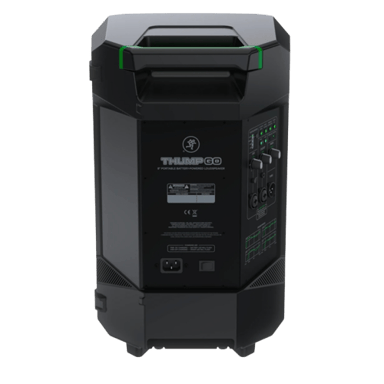

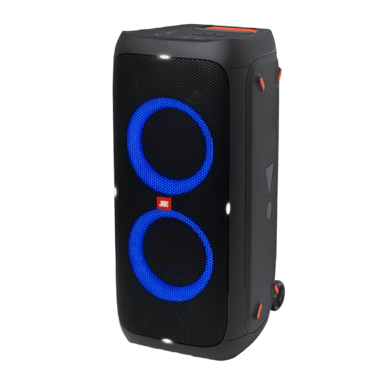
 0
Cartling
0
Cartling